Every plan includes the full editor, all 143 units, WordPress, React, Astro and Payload export, the MCP server and the Landing Page Generator. Plans differ by how many domains you can publish to. Try everything free for 7 days; a license unlocks export and publishing.
Pay with card through Stripe, or with PayPal. Your license key arrives by email from support@canvasly.pro. Yearly plans renew automatically, and each renewal extends the license.
Licenses are for individuals, small businesses and small to medium agencies with 100 or fewer employees. Larger organisations, please contact us about Enterprise.
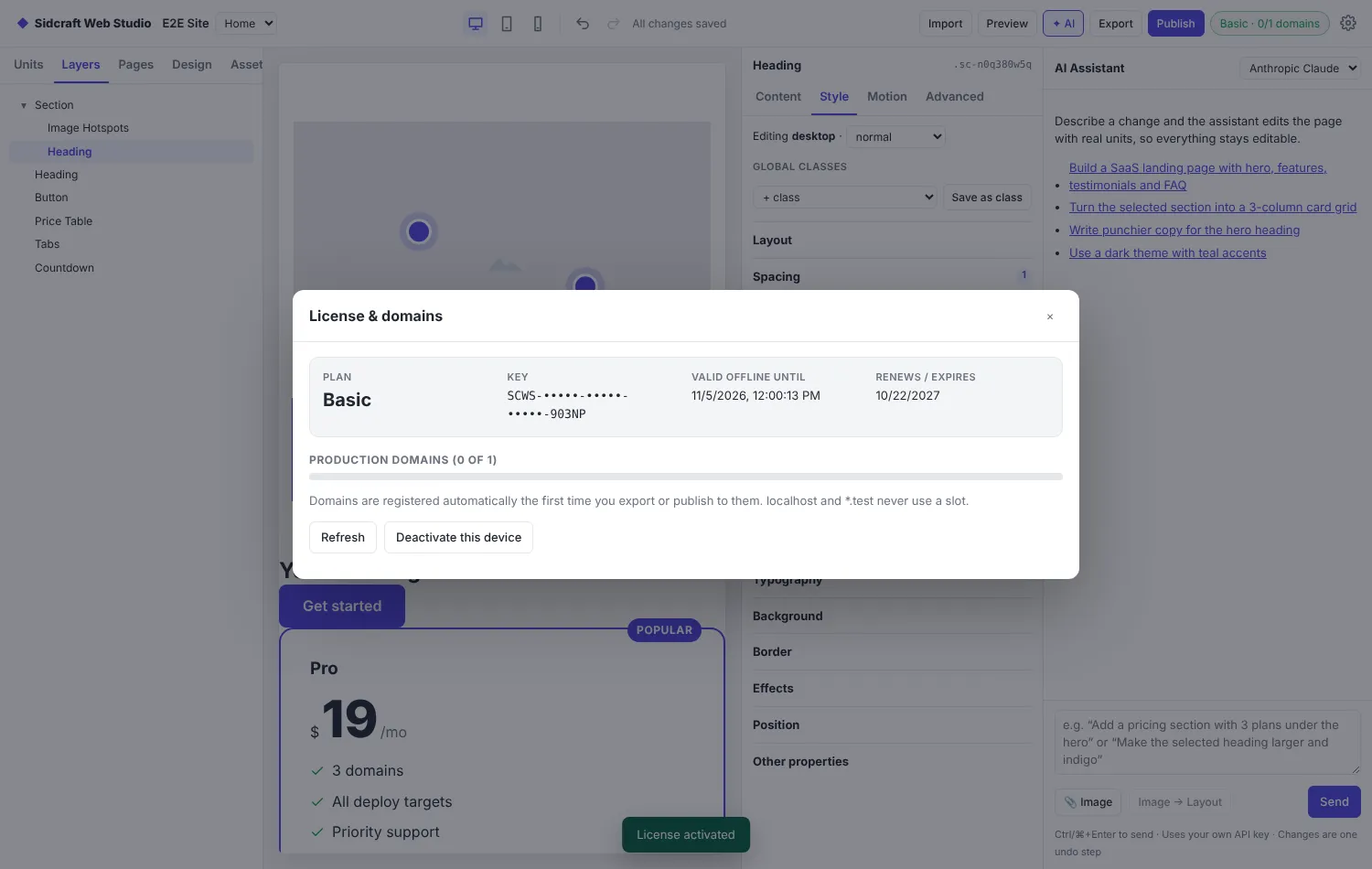
The License panel shows your plan, how long it stays valid offline, and which domains are registered.
7-day free trial
The first time you start Canvasly Web Studio it begins a 7-day free trial. No license key or card is needed, but the computer must be online once. The top bar shows Free trial · N days left, and a reminder appears two days before the end.
During the trial: editing, Preview, import, the AI assistant and the MCP server all work.
Needs a license: exporting (including to WordPress, React, Astro and Payload), publishing and the Landing Page Generator.
One trial per computer. Reinstalling doesn't start a new one.
After the trial the Studio opens on the license screen. Enter a key or click Purchase a license; it unlocks as soon as the key is activated, with your projects as you left them. Until then, editing, import, export, Preview, the AI assistant and the MCP server are paused.
Buy. Choose a plan on the license store, or click Purchase a license in the app (About › Purchase a License).
Activate. Paste your key (it starts with SCWS-) under Activate license in the top bar. The top bar then shows your plan and domain count, for example Pro · 2/3 domains.
Export to a domain. The first export or publish to a production domain registers it to your license.
Work offline. Your activation is a signed entitlement stored on your computer, so you can keep working without a connection for up to 14 days. After that the Studio asks to reconnect once before you continue. Exporting always checks the domain online.
Move a domain. Click Release next to a domain to free its slot. You can release up to 5 domains every 30 days.
Sites you have already exported keep working whether or not your license is renewed.
Web Studio or Sidcraft Pro?
Canvasly Web Studio
Sidcraft Pro
Runs as
A desktop app for Windows 10/11
A WordPress plugin
Output
Static HTML, CSS and JS you host anywhere, or WordPress pages and posts