
Watching videos
Visitors use the Videos and Watch pages. Lite plays every video for free. Pro can ask the visitor to log in, join a plan, or pay before the full video starts. Trailers stay open either way.
Browse the library
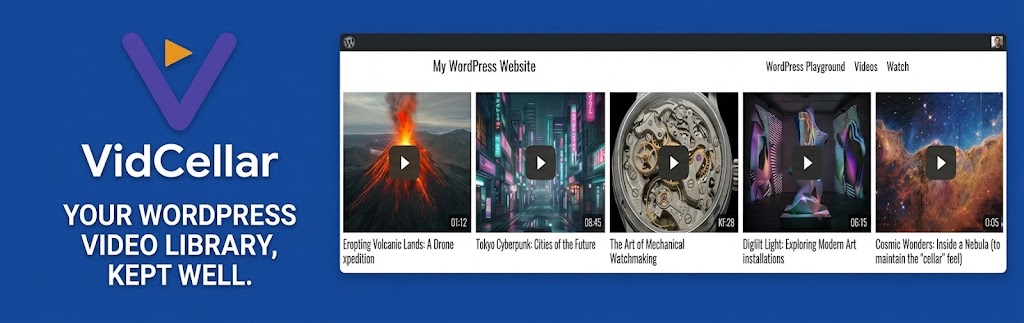
The Videos page lists up to 24 videos per page. Search matches a title. Each card shows the thumbnail, title, category, view count, and star rating. In Lite the card is free. In Pro a priced video shows its price.
The Watch page adds category buttons. Most Watched sorts by views. All Films clears the filter. Choosing a category keeps vc_category in the address. A video uses vc_id. Page numbers use vc_pg.
The player
Until the visitor presses play, the page shows a poster and a play button. After that, the white-label player can offer play and pause, a chaptered timeline, volume, time, playback speed from 0.25× to 2×, an Auto / 1080p / 720p quality menu when HLS is ready, captions, alternate audio, picture-in-picture, theater mode, and fullscreen. The browser download control is turned off. A searchable transcript can sit below or beside the video. Scrolling can dock a mini-player in a screen corner.
On a phone, the mini-player can become a full-width bar or stay off. Keyboard shortcuts follow the Player settings. One VidCellar player plays at a time.
Trailers and ratings
A trailer opens in a pop-up and stops when the pop-up closes. Trailers do not show ads or lead overlays. Anyone can rate a free Lite video from 1 to 5 stars. On a Pro video, the star control appears after the viewer has access.
When Pro locks a video
A locked video shows a paywall card on the player frame. Guests see Log in or Register when WordPress registration is open, or Log in when it is closed. The button uses the front-end log-in page and returns the viewer to the video.
- Members whose plan includes the video press play. During a grace period they are asked to renew. Trailers still play.
- On a pay-per-view video, Pay to Watch opens checkout: email, PayPal, card through Stripe, or a complimentary coupon.
- A successful payment unlocks the video for the rental length (7 days unless the site set another value, or for life when that value is 0). The access link and end date are emailed to the address on the form.
- If access was bought before Pro 2.6, it does not expire. Newer passes end on the date shown. The visitor can pay again after that.
- Signed-in buyers can open My Purchases or the account page to see access end dates.
Advertisements, when the site has active ones, play at the start and again on the site’s interval. They cannot be skipped. A lead overlay can pause the movie at a chosen time.