

If you're searching for an Elementor alternative, you've probably hit one of the usual problems: pages that feel heavy, a site that looks wrong whenever the plugin misbehaves, or the worry of being locked in, because switching builders means rebuilding every page.
Most "best Elementor alternatives" lists suggest swapping one WordPress page builder for another: Divi, Bricks, Breakdance, Oxygen or Beaver Builder. Those are good tools, but your pages still depend on a builder plugin. Canvasly Web Studio works differently. You design visually in a desktop app, then export clean pages into WordPress or as a static site for any host.
This guide compares Canvasly with Elementor, Divi, Bricks and Breakdance, with an honest look at when each one fits.
Quick answer: what makes Canvasly a different kind of Elementor alternative?
| Question | Typical page builder plugin | Canvasly → WordPress |
|---|---|---|
| CSS and JavaScript on a page | The builder's whole framework | Only what the page uses |
| How a page is stored | Builder data or shortcodes | A standard Custom HTML block |
| Switch the plugin off | Layouts break | Content stays as HTML |
| Theme and plugin styles | Can clash with the layout | Kept out of the page |
| Publish outside WordPress | No | Yes: static HTML, React (Next.js), Astro or Payload CMS |
Elementor alternatives compared at a glance
| Product | What it is | Where the site runs | How pages are stored | If you stop using it |
|---|---|---|---|---|
| Canvasly | Desktop app that exports static sites, WordPress, React, Astro or Payload CMS | Any host, or your WordPress | Plain HTML: static files, or a Custom HTML block in WordPress | Static files keep working; WordPress content stays HTML |
| Elementor | WordPress page builder plugin | WordPress | Elementor's own layout data | Layouts no longer render |
| Divi | WordPress theme and builder | WordPress | Shortcodes (Divi 4) or a block format (Divi 5) | Divi 4 leaves shortcodes in your content |
| Bricks | WordPress theme with a visual builder | WordPress | Rendered by the Bricks theme | Pages need Bricks to display as built |
| Breakdance | WordPress builder plugin, with an optional themeless mode | WordPress | Rendered by Breakdance | Pages need Breakdance to display as built |
Based on each product's own documentation in October 2026. Products change, so check the current version before you decide.
Why Elementor sites get slow
A page builder has to work for every possible layout. So it ships a framework of styles and scripts, often with fonts and icon sets, and adds extra wrapper elements around your content. Performance settings trim some of that, but each page still carries the builder's code alongside the theme's and every other plugin's.
Canvasly compiles each site once, when you export. The output is:
- semantic HTML, without builder wrapper elements
- one minified stylesheet containing only the units you used
- one script with only the features your pages need. A page with no interactive units ships no JavaScript at all.
In WordPress, the Canvasly full page template leaves out the theme's styles and other plugins' head and footer code, so each page loads what it was designed with and nothing else.
Canvasly vs Elementor
Elementor is a page builder plugin. You design inside WordPress, and Elementor keeps each layout in its own data and renders it when the page is viewed. If the plugin is deactivated, those layouts stop displaying as designed.
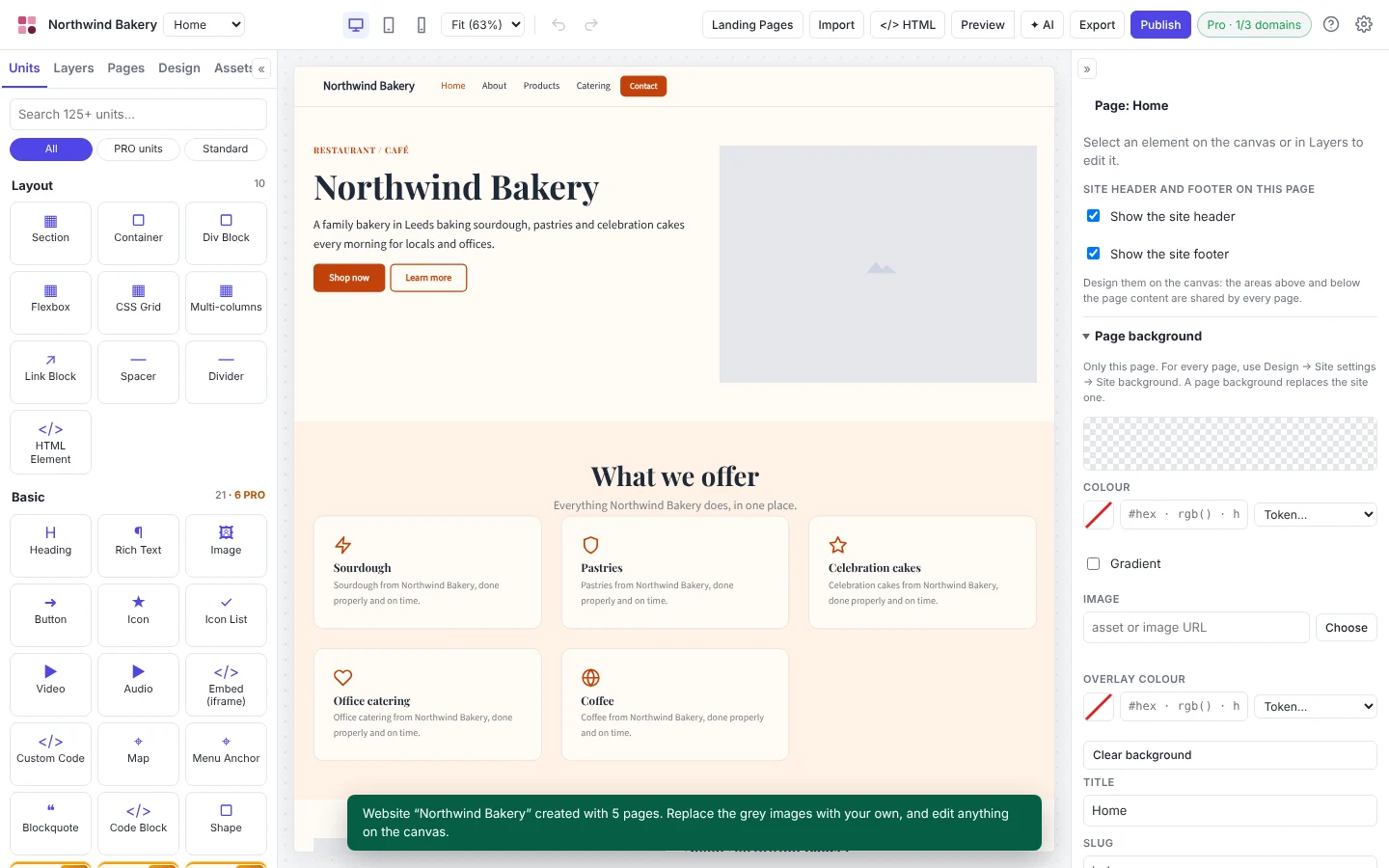
With Canvasly, you design outside WordPress and import finished pages. Each page is a standard Custom HTML block, styled by a small Canvasly plugin, and keeps its title, description, social tags and JSON-LD structured data.
Choose Elementor if your team edits layouts inside WordPress every day or builds pages from WordPress data.
Choose Canvasly for designed marketing pages and landing pages that should be fast and not tied to a builder.
Canvasly vs Divi
Divi from Elegant Themes is a WordPress theme and builder. Divi 4 stored layouts as shortcodes, which turn into raw text if Divi is removed. Divi 5 moves to a block-based format and migrates older content.
Canvasly doesn't replace your theme. Its pages display through their own template, so you can keep or change your theme without affecting them, and there are no shortcodes to clean up later.
Choose Divi if you want one theme that designs the whole WordPress site, from header to blog templates.
Choose Canvasly if you want pages that stay the same whatever the theme does.
Canvasly vs Bricks
Bricks is a WordPress theme with a visual builder, popular with developers for its clean output and dynamic data features. Pages built with it are rendered by Bricks, so Bricks has to stay active for them to display as built.
Canvasly exports work with any theme. The same project can also publish a static site to FTP, SFTP, GitHub Pages, Netlify or Vercel, with no WordPress at all.
Choose Bricks for WordPress sites built around dynamic data, query loops and custom fields.
Choose Canvasly when you want to design visually and publish the same pages to WordPress or as a static site.
Canvasly vs Breakdance
Breakdance comes from the makers of Oxygen and is built as a modern replacement for Elementor and Divi, with performance features and many elements out of the box. It can also run in a themeless mode, where Breakdance designs the whole site instead of a theme.
Canvasly doesn't ask you to rebuild the site around a builder. You design the pages you need and import them alongside your existing theme and content. The same project can also publish a static site.
Choose Breakdance if you want to design the entire WordPress site, templates included, inside one builder.
Choose Canvasly if you want fast designed pages that don't depend on a builder, in WordPress or on any host.
Design freedom without code
Canvasly gives you freehand drag-and-drop: place elements anywhere on the canvas and they stay put, with smart positioning guides and responsive breakpoints for desktop, tablet and mobile. You still get clean output, and you can edit the HTML directly with Ctrl + U.


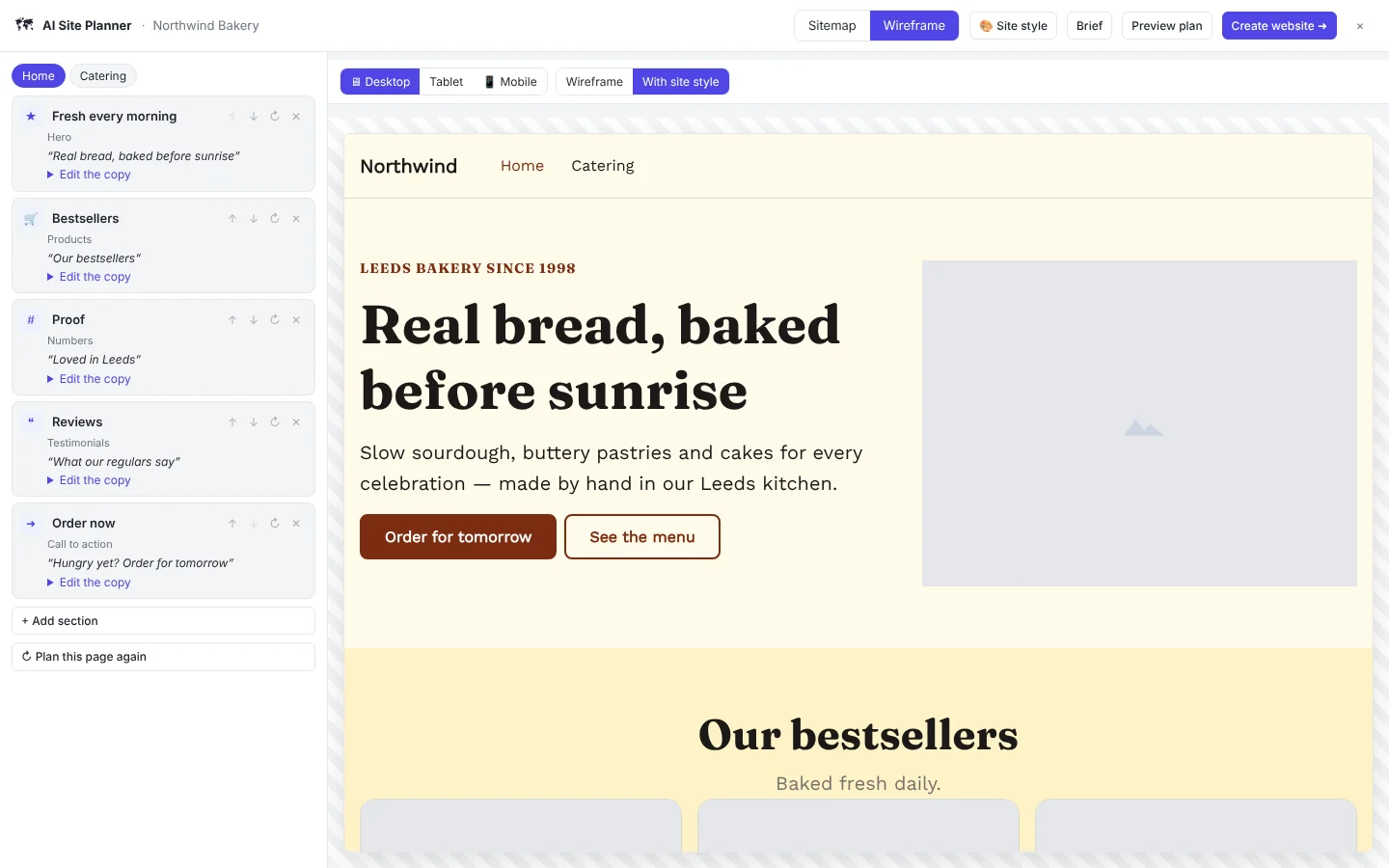
Need a head start? The AI Site Planner turns a short conversation into a brief, a sitemap, wireframes with real copy and a site style, then builds the website for you.
How to move your pages from Elementor (or any page builder) to Canvasly
You don't have to rebuild your pages from scratch:
- Import the page. Open the published page with Import → URL, or save it and use File → Open HTML File. Canvasly turns it into an editable project and copies its images, stylesheets and fonts.
- Adjust the design in the editor, or let the AI assistant restyle it.
- Export as WordPress. Install the small Canvasly plugin and import the pages. Our guide to exporting to WordPress, React and Payload CMS walks through it step by step.
- Switch off the builder. Once the new pages are live, you can deactivate the builder for the pages you've moved.
Pricing
Every Canvasly plan includes the full editor, every unit, and WordPress, React, Astro and Payload CMS export. Plans differ only by how many domains you can publish to:
| Plan | Price | Domains |
|---|---|---|
| Basic | $59.99 per year | 1 |
| Pro | $99.99 per year | 3 |
| Pro Plus | $129.99 per year | 5 |
| Ultimate | $199.99 per year | 10 |
| Lifetime | $449.99 one-time | 10 |
See plans and licensing for details, including Enterprise options for organisations with more than 100 employees.
So, which Elementor alternative should you choose?
- You edit layouts inside WordPress every day and build pages from WordPress data → another WordPress builder such as Bricks or Breakdance fits that workflow.
- You want one theme that designs the whole site → Divi or Breakdance's themeless mode.
- You want fast, designed pages that aren't tied to a builder plugin, and the option to publish outside WordPress → Canvasly.
Try Canvasly free for 7 days (no license key or card needed), or read the full comparison with page builders.
Frequently asked questions
What is the best Elementor alternative?
It depends on how you work. If your team edits layouts inside WordPress every day, another builder such as Bricks, Breakdance or Beaver Builder fits that workflow. If you want designed pages that load fast, do not depend on a builder plugin and can also publish outside WordPress, Canvasly is built for that.
Is Canvasly a WordPress plugin like Elementor?
No. Canvasly Web Studio is a desktop app for Windows. You design there, then export a static site or WordPress pages and posts. The WordPress export includes a small plugin that holds the site's styles, scripts and images and the Canvasly full page template.
Can I replace Elementor or Divi on an existing WordPress site?
Yes, for the pages you design in Canvasly. They import as WordPress pages or posts and sit alongside the rest of your site. Posts, WooCommerce and other dynamic content stay in WordPress.
What happens to my pages if I stop using Canvasly?
Static exports are plain files you own, and they keep working. In WordPress, each page's content is a standard Custom HTML block, so it stays in your site as HTML. The Canvasly plugin supplies the styles that make it look as designed.
Are Canvasly pages faster than Elementor pages?
Each Canvasly page loads one stylesheet and only the JavaScript for the features it uses, or none. How much faster that is depends on what your current builder and theme load, so measure both with PageSpeed Insights.
Is there a free trial?
Yes. Canvasly Web Studio runs a 7-day free trial with no license key or card. Editing, preview, import and the AI assistant all work during the trial. Exporting and publishing, including to WordPress, need a license.
Elementor, Divi, Bricks, Breakdance, Oxygen and Beaver Builder are trademarks of their owners. Canvasly is not affiliated with or endorsed by them. Product names are used only to compare features.