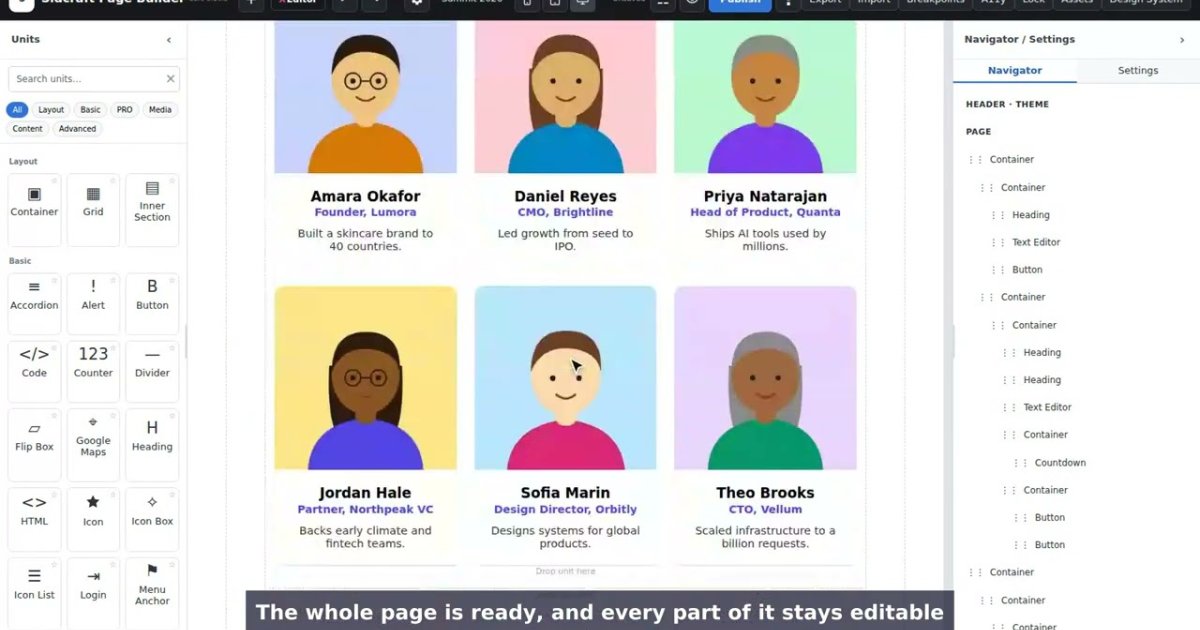
Searching for an Elementor alternative usually starts with one of three complaints: pages feel heavy, the features you need sit behind a paid plan, or you want AI help without another subscription. Sidcraft Page Builder is a free, lightweight WordPress page builder that stays inside WordPress, like Elementor, but includes an AI Chat Bot in the free plugin. When you need more, the Sidcraft Pro add-on brings a theme builder, popups, shop units, payments, 40+ extra units and AI that can rebuild a screenshot as an editable page.
This guide covers what you get in each plugin, how the AI works, how light the pages are, and what it costs.
Sidcraft at a glance
| Sidcraft Page Builder | Sidcraft Pro | |
|---|---|---|
| Price | Free | From $59 / year |
| Visual drag-and-drop editor, containers, CSS Grid | ✓ | ✓ |
| Desktop, tablet and mobile editing | ✓ | ✓ |
| Design system (global colours, fonts, variables, classes) | ✓ | ✓ |
| AI Chat Bot | ✓ via WordPress's AI connection (WP 7.0+) | ✓ via your own AI provider |
| HTML import (no AI needed) | ✓ | ✓ |
| Image to layout (screenshot or mockup → page) | — | ✓ |
| Theme Builder (header, footer, single, archive, 404) | — | ✓ |
| Popups, Loop Grid, mega menu, display conditions | — | ✓ |
| WooCommerce templates and hosted payments | — | ✓ |
| 40+ extra SCB units (info box, reviews, FAQ schema, feeds…) | — | ✓ |
| wp-admin AI assistant and MCP server | — | ✓ |
With Pro active, the unit library holds 208 units.
A familiar drag-and-drop editor
If you've used Elementor, you'll feel at home. Open any page or post, choose Edit with Sidcraft, and you get the unit library on the left, the page in the middle, and the selected unit's Content, Style and Advanced settings on the right.
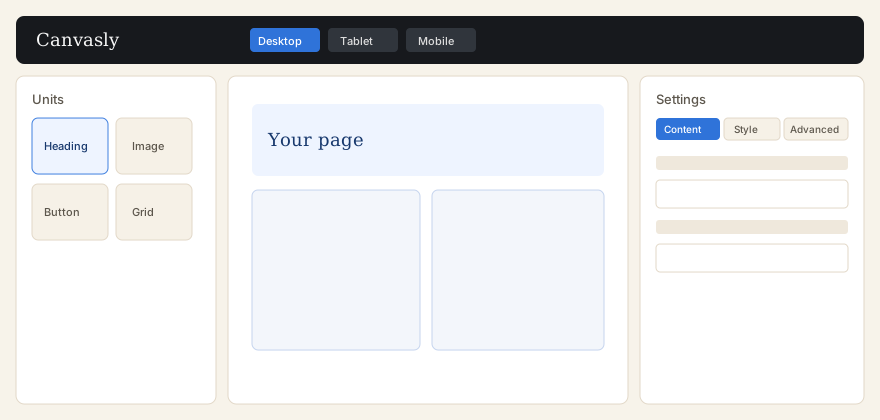
- Drag units such as Heading, Image, Button, Container and Grid onto the canvas. Drop one on Drag widget here and it's wrapped in a new container automatically.
- XEditor elements (Div Block, Flexbox, Grid, Heading, Paragraph, Image, Button) each print exactly one HTML element, for clean markup.
- Switch devices: desktop, tablet and mobile, plus extra breakpoints in the Design System.
- The Navigator collapses, renames, hides and locks units, and a right-click menu copies and pastes styles, duplicates units and saves templates.
- Save templates and reuse them with a shortcode, a WordPress block, a Template unit or a sidebar widget.
Real CSS Grid, visually
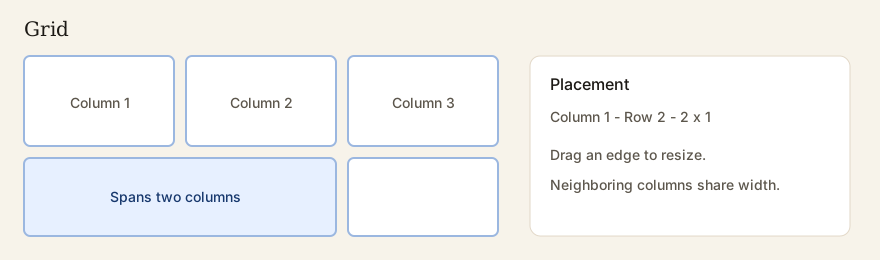
Sidcraft's Grid unit lets you build true CSS Grid layouts without code. Drag a cell's edge to resize it, span cells across columns or rows, and neighbouring columns share the width.
AI built in, even in the free plugin
In Sidcraft, the AI Chat Bot sits next to XEditor in the top bar (Ctrl/Cmd + Shift + A) in both plugins.
- Choose the scope: the selected unit, the whole page, or site-wide styles.
- Describe the change, for example "Build a dark-mode SaaS pricing section with 3 tiers and highlight Pro" or "Change all secondary buttons to our primary brand colour".
- Review the plan. Untick any step you don't want, and preview the affected units on the canvas in any device view.
- Apply it as one undo step. You can revert it later from the chat.
The chat never saves for you. You stay in control and save the page as usual.
Which AI does it use?
| Sidcraft Page Builder (free) | Sidcraft Pro | |
|---|---|---|
| AI provider | The AI Client built into WordPress 7.0+, using the provider connected under Settings → Connectors (for example OpenAI, Anthropic or Google). Sidcraft stores no AI key. | Your own key on Sidcraft → AI Connectivity: OpenAI, Anthropic, Google Gemini, Azure OpenAI, Groq, Mistral, DeepSeek, Perplexity or Cursor |
| Images | HTML only | Screenshots, wireframes and mockups (OpenAI, Anthropic, Gemini or Azure OpenAI) |
Because you bring your own provider, there's no separate AI credit plan to buy from Sidcraft.
HTML import: no AI required
Have an existing page or a design from another tool? Attach an HTML page, a snippet or a CSS file (up to 2 MB), or paste HTML into the chat, and click Convert directly. Sidcraft turns it into native, editable layout in your browser: flex and grid layouts are kept, CSS classes become XEditor classes, and CSS custom properties become design variables.
Image to layout (Sidcraft Pro)
With Sidcraft Pro, attach a screenshot, wireframe, Figma export or mockup (PNG, JPG or WebP, up to 15 MB). The AI reads the layout, copies the visible text, turns the palette into colour variables and repeated styles into classes, and stacks columns on mobile. You get an editable page, not a picture of one.
An AI assistant and MCP for agents (Sidcraft Pro)
Pro also adds a Sidcraft AI assistant in the wp-admin bar and an MCP server, so outside agents such as Claude Desktop, Cursor, ChatGPT or VS Code can work on your site through the same tools: layouts and pages, site settings, plugins, themes, custom code and ACF fields.
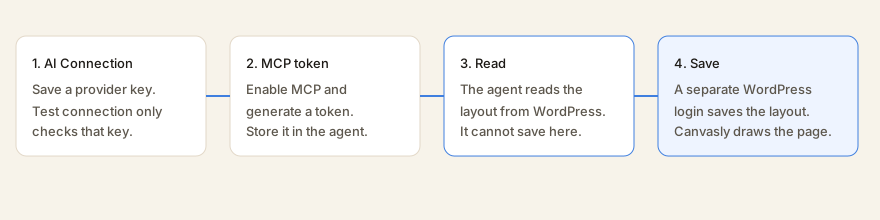
Safety is built in. The API key is encrypted, read tools run immediately, and changes wait for an administrator's approval in the assistant. Every tool still checks the WordPress permissions of the person it runs as.
Lightweight by design
Page builders get heavy when they load their code everywhere. Sidcraft is careful about what it loads:
- Pages without a Sidcraft layout load no Sidcraft CSS or JavaScript at all.
- Unit scripts load only for the units on the page.
- A page view makes no database writes, and saving a page with nothing changed makes none either, because Sidcraft compares a hash of the layout.
- Sidcraft clears the page from common page-cache plugins when you save.
Measured on a 200-unit test page (WordPress 6.9, Twenty Twenty-Five, PHP 8.3):
| Measure | 200-unit Sidcraft page |
|---|---|
| CSS added by Sidcraft | 139 KB (21 KB gzipped) |
| JavaScript added by Sidcraft | 40 KB (12 KB gzipped) |
| Peak PHP memory | 14 MB (the same as a plain page) |
| Database writes during a page view | 0 |
| Editor ready with every unit on the canvas | 1.8 s |
You can run the same benchmark on your own server with wp sidcraft-page-builder benchmark. The full method is on the Sidcraft performance page.
Sidcraft Pro: theme, shop and more

Sidcraft Pro is a second plugin that adds:
- Theme Builder: header, footer, single, archive, search, 404 and section templates, with display rules
- Popups with load, scroll, click, exit and inactivity triggers
- Loop Grid and Loop Carousel, dynamic tags with ACF and custom fields, and a mega menu
- Display conditions by role, login, date, author, taxonomy or URL parameter
- Sticky elements, scroll effects and page transitions
- Forms with extra fields, redirect, webhook, a submissions log and CSV export
- WooCommerce templates, product and cart elements (when WooCommerce is active)
- Hosted payments with Stripe, PayPal, Square, Razorpay, Mollie and Authorize.net. Card data stays on the gateway.
- 40+ SCB units: advanced and fancy headings, info box, modal popup, posts skins, business hours, reviews, team member, FAQ and HowTo schema, Instagram and X feeds, and more
Every Pro plan unlocks the same features. Plans differ only by the number of sites:
| Plan | Price | Sites |
|---|---|---|
| Pro Personal | $59 / year | 1 |
| Pro Business | $79 / year | 5 |
| Pro Agency | $129 / year | 25 |
| Pro Unlimited | $199 / year | 100 |
Get started in minutes
- Try it in your browser. The live demo runs Sidcraft in WordPress Playground, with nothing to install.
- Install the free plugin from WordPress.org. You need WordPress 6.9+ and PHP 7.4+, and WordPress 7.0+ to chat with AI in the free plugin.
- Grab the free templates: download Sidcraft Page Builder templates.
- Upgrade when you need more: compare Sidcraft vs Pro and prices, and follow the install guide.
Prefer to design outside WordPress and export clean pages to any host? Read Canvasly vs Elementor, Divi, Bricks and Breakdance.
Frequently asked questions
Is Sidcraft Page Builder free?
Yes. Sidcraft Page Builder is free on WordPress.org and includes the visual editor, the core units, templates, form entries, HTML import and the AI Chat Bot. Sidcraft Pro is an optional add-on from $59 a year.
Can Sidcraft replace Elementor?
For designing pages in WordPress, yes. Sidcraft has a drag-and-drop canvas with containers and CSS Grid, desktop, tablet and mobile views, a design system, saved templates, forms and motion. Sidcraft Pro adds a theme builder, popups, Loop Grid, WooCommerce templates, hosted payments and 40+ more units.
Does Sidcraft have AI?
Yes. Both plugins include the AI Chat Bot: describe a change, preview the plan on the canvas and apply it as one undo step. The free plugin uses the AI connection built into WordPress 7.0 and later. Sidcraft Pro uses your own key for one of nine providers and adds image to layout, a wp-admin assistant and an MCP server for agents such as Claude Desktop, Cursor, ChatGPT or VS Code.
Is Sidcraft lightweight?
Pages without a Sidcraft layout load no Sidcraft CSS or JavaScript at all. On a measured 200-unit page, Sidcraft added 21 KB of gzipped CSS and 12 KB of gzipped JavaScript, and unit scripts load only for the units on the page. See Sidcraft performance to measure your own site.
What do I need to run Sidcraft?
WordPress 6.9 or newer and PHP 7.4 or newer. Chatting with AI in the free plugin needs WordPress 7.0 or newer. Sidcraft Pro runs only while Sidcraft Page Builder is active.
Can I try it before installing?
Yes. The live demo runs Sidcraft Page Builder in WordPress Playground in your browser, with no account and nothing installed on your site.
Elementor is a trademark of its owner. Sidcraft is not affiliated with or endorsed by Elementor. Facts about Sidcraft come from its documentation for Sidcraft Page Builder 1.2.4 and Sidcraft Builder Pro 1.2.3.