
Media is usually the biggest thing on a WordPress site. Every image upload creates several thumbnail sizes, videos run to gigabytes, and before long your hosting plan is full, backups are slow and pages load images from a busy shared server.
Media offloading fixes that by moving your files to cloud storage or a CDN. The catch is that the popular offload plugins charge a yearly subscription, often priced by how many files you have, and each one supports only a few services.
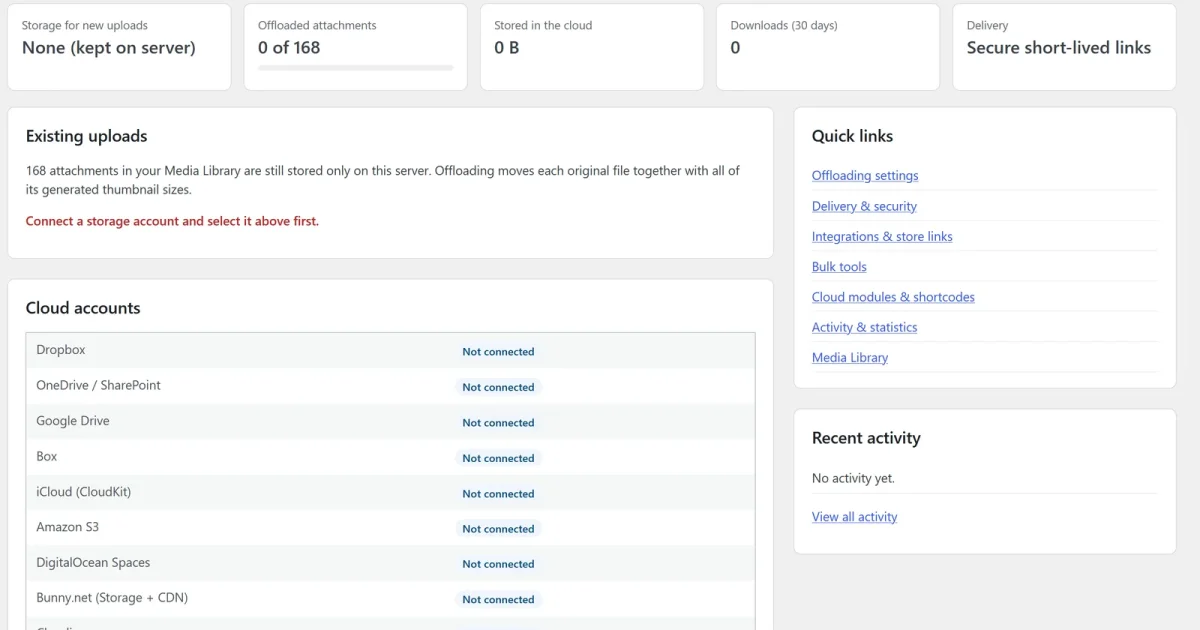
Sidcraft Cloud Media Offload is free, has no file limits, and connects to 13 cloud drives, object stores, CDNs and video platforms.
Supported cloud services
| Type | Services | Best for |
|---|---|---|
| Object storage and CDN | Amazon S3 (and S3-compatible services), DigitalOcean Spaces (optional Spaces CDN), Bunny.net Storage + CDN (with token authentication), Cloudinary | The fastest and cheapest option for busy sites |
| Cloud drives | Dropbox, OneDrive, OneDrive for Business / SharePoint, Google Drive, Box, iCloud (Apple CloudKit) | Sites that already keep their files there |
| Video platforms | Cloudflare Stream, Mux, Vimeo, YouTube | Transcoding and adaptive streaming for video uploads |
You can send videos to a video platform and everything else to your main storage. Videos then play with the platform's player in the video block and the [video] shortcode.
How it compares with paid offload plugins
| Sidcraft Cloud Media Offload | WP Offload Media | WP Cloud Plugins | |
|---|---|---|---|
| Price | Free | $69 to $1,199 a year (first-year discounts available) | $35 a year, or $125 a year for paid content |
| What sets the price | Nothing: no limits | Number of offloaded media items: 2,000 items on the $69 plan, unlimited on the $1,199 plan | Number of sites, and the cloud you choose |
| Object storage and CDN | S3 and S3-compatible, DigitalOcean Spaces, Bunny.net, Cloudinary | Amazon S3, DigitalOcean Spaces, Google Cloud Storage | — |
| Cloud drives | Dropbox, OneDrive, SharePoint, Google Drive, Box, iCloud | — | OneDrive, SharePoint, Google Drive, Dropbox, Box |
| Video platforms | Cloudflare Stream, Mux, Vimeo, YouTube | — | — |
| Front-end file browser, gallery and upload box | ✓ | — | ✓ |
| WooCommerce and Easy Digital Downloads delivery | ✓ | ✓ | ✓ on the $125 plan |
Prices are taken from each vendor's pricing page in November 2026. WP Offload Media's paid licenses renew every year for updates and support, and it also has a free Lite version. WP Offload Media supports Google Cloud Storage, which Sidcraft Cloud Media Offload doesn't list. WP Cloud Plugins focuses on cloud-drive file sharing rather than Media Library offloading.
To get object storage, cloud drives and video platforms together, you'd normally need two or more paid plugins and yearly renewals. Sidcraft Cloud Media Offload covers all three for free.
Offloading that just works
You upload media exactly as before. WordPress creates its image sizes, and the plugin moves the original and every generated size to the cloud, then serves them from there.
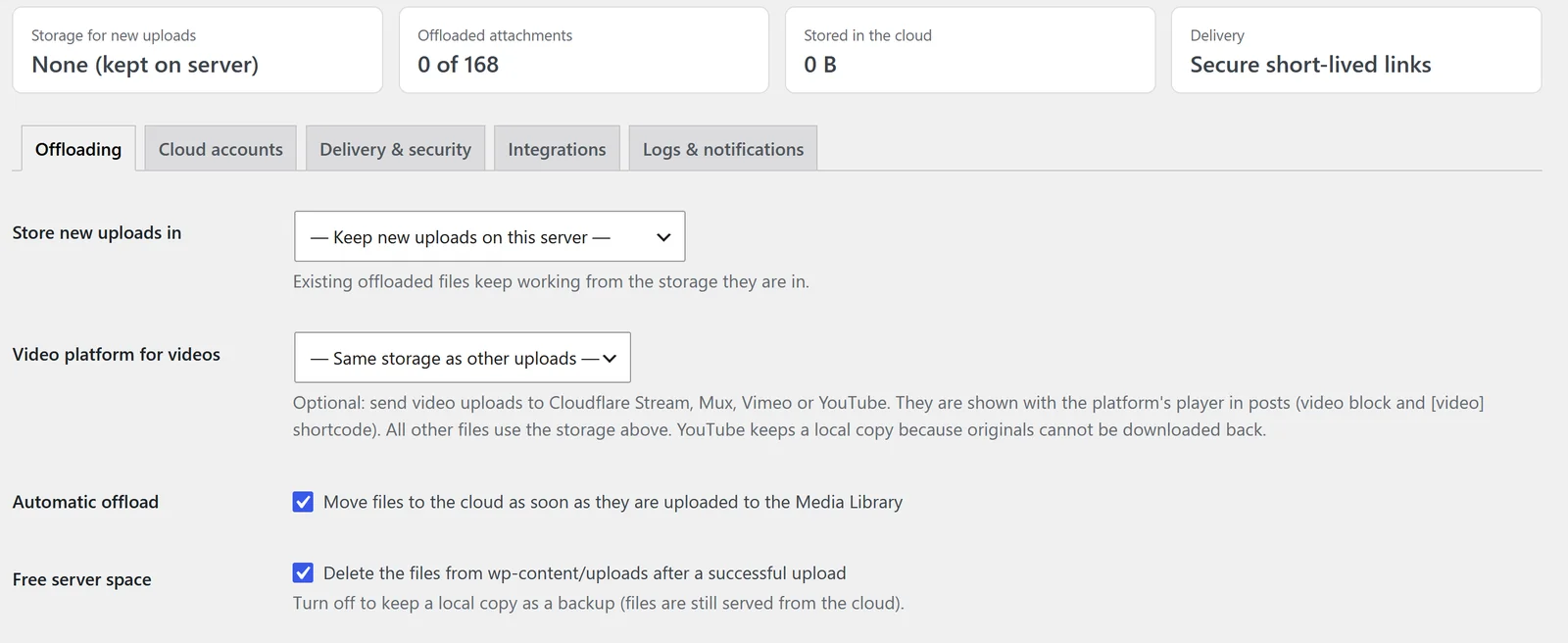
- Automatic: new uploads, scaled images and every thumbnail size move to the cloud right after upload.
- Large files are moved in the background with each provider's chunked, resumable upload API.
- Free your server: delete the local copies to save space, or keep them as a backup.
- Choose file types: all files, images, media or a custom list, plus types that always stay local.
- The image editor and thumbnail regeneration keep working, and edited files are pushed to the cloud automatically.
- Deleting from the Media Library can also delete the cloud copy (optional).
- A Storage column in the Media Library, with row and bulk actions to move files to the cloud, move them back, download a local copy or remove the local copy.
Your existing library, in one click
Offload your whole existing Media Library, originals plus every thumbnail size, with one click and a progress bar, or let it run in the background. The Tools screen can also create public links, download local copies, or move everything back to your server if you ever change your mind.
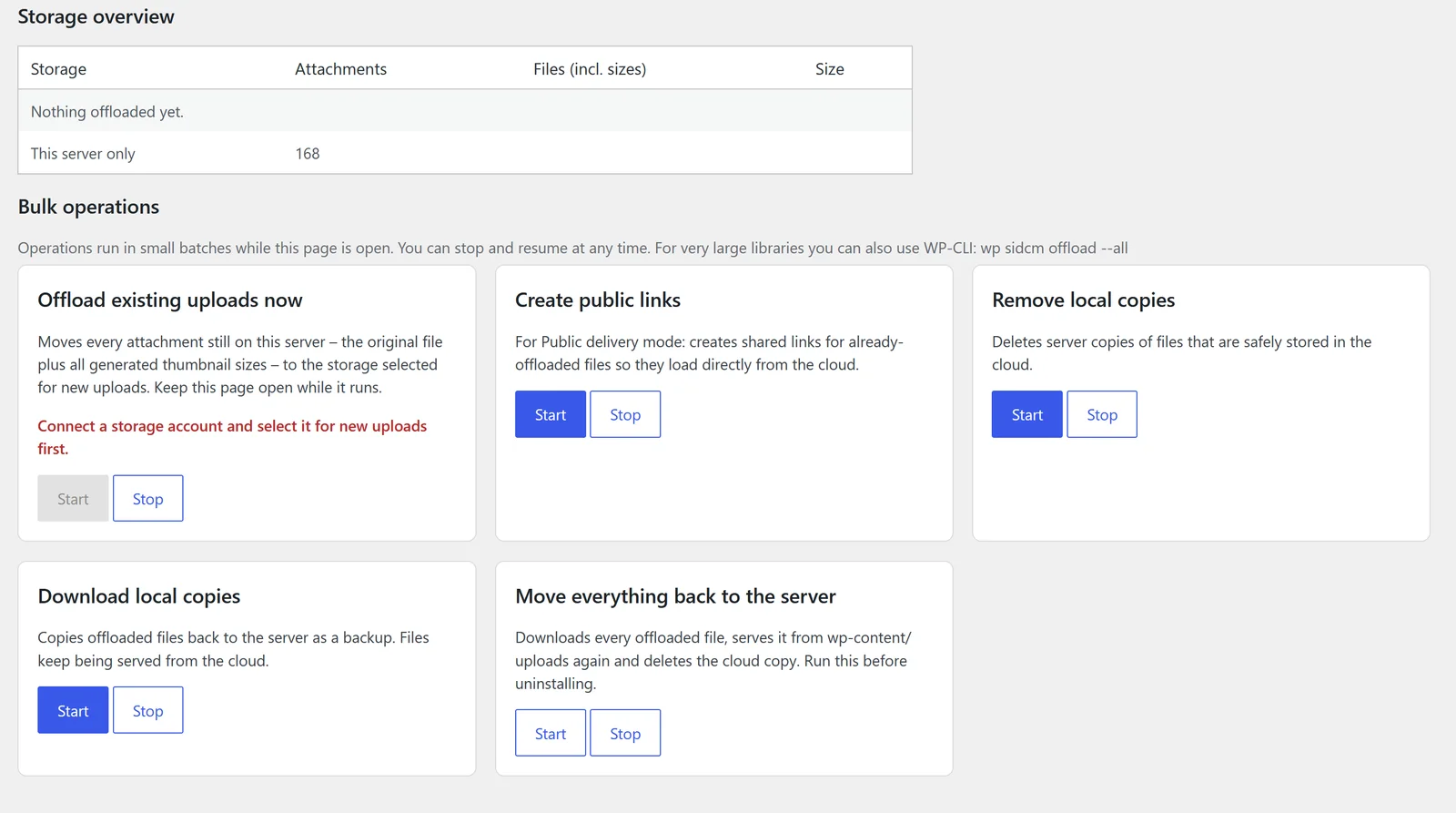
Prefer the command line? Use WP-CLI:
wp sidcm offload --all
wp sidcm restore --all
wp sidcm status
Fast and secure delivery
- URLs stay on your own domain: offloaded files get stable addresses such as
example.com/cloud-media/2026/10/photo.jpg, mirroring the uploads structure. Responsive images (srcset), the block editor and other plugins keep working, and older content pointing atwp-content/uploadsis rewritten automatically. - Secure mode (default): every request goes to a short-lived, signed link created by the provider, so your cloud files stay private.
- Public mode: permanent "anyone with the link" shares for the fastest delivery on Dropbox, Google Drive and Box.
- Per-file access: restrict any attachment to logged-in users.
- Your own cloud apps: each site connects with its own app credentials, OAuth tokens and secrets are encrypted, and files never pass through a third-party relay. Nothing is sent to the plugin author.
Cloud modules: show your cloud on any page
Add the Cloud Module block, the [sidcm_cloud] shortcode or the Sidcraft Page Builder Cloud Module unit to show any cloud folder on a page:
| Module | What visitors get |
|---|---|
| File browser | Breadcrumbs, search and sub-folders, locked to the folder you choose |
| Gallery and carousel | Image gallery with lightbox, or an image carousel |
| Downloads | A download list or a single download button |
| Audio and video players | Playlists streamed from the cloud |
| Document embed | Office and PDF previews, where the provider supports it |
| Upload box | Drag-and-drop uploads, sent straight from the visitor's browser to the cloud where the provider allows it |
Personal folders like folder="Clients/%user_login%" show each logged-in user only their own folder, which makes a simple client portal. Add role-based access, password protection and email notifications on uploads and downloads.
Sell cloud files securely
- WooCommerce and Easy Digital Downloads: downloadable product files are delivered from the cloud. After the store verifies the purchase, the customer is sent to a short-lived cloud link, so store files are never public.
- Sidcraft Commerce: attach cloud files to products. When an order is paid, customers get secure links with download limits and expiry, and the links are revoked if the order is cancelled or refunded.
- Forms: files uploaded through Contact Form 7, WPForms, Gravity Forms or Fluent Forms are copied to the cloud automatically.
A dashboard, activity log and statistics
The Cloud Media dashboard shows storage figures, one-click offloading, connected accounts, integrations and recent activity. The activity log tracks offloads, uploads, downloads and errors, and shows your most downloaded files over the last 30 days. Logged data is included in WordPress's personal data export and erase tools. It also works on multisite, with separate settings for each site.
How to get started
- Install Sidcraft Cloud Media Offload from Plugins → Add New and activate it. You need WordPress 6.3+ and PHP 7.4+.
- Go to Cloud Media → Settings → Cloud accounts and copy the Redirect URI.
- Register an app with your provider (each card links to its developer console), add the Redirect URI, and paste the client ID and secret into the card.
- Click Connect and approve access.
- On the Offloading tab, choose the storage for new uploads. From now on, uploads move to the cloud automatically.
- Optional: Cloud Media → Tools → Move existing media to the cloud for your existing library.
Use pretty permalinks for the /cloud-media/ URLs. Box, Microsoft and Google require HTTPS for the redirect URI on public sites.
Building your site with Sidcraft? See Sidcraft Page Builder, our free WordPress page builder with AI, and VidCellar for a self-hosted video library.
Frequently asked questions
Is Sidcraft Cloud Media Offload free?
Yes. Sidcraft Cloud Media Offload is free on WordPress.org, with no license key, no subscription and no limit on the number of files. You only pay your cloud provider for the storage and bandwidth you use.
Which cloud services does it support?
Cloud drives: Dropbox, OneDrive, OneDrive for Business / SharePoint, Google Drive, Box and iCloud (Apple CloudKit). Object storage and CDN: Amazon S3 and S3-compatible services, DigitalOcean Spaces (with optional Spaces CDN), Bunny.net Storage + CDN and Cloudinary. Video platforms: Cloudflare Stream, Mux, Vimeo and YouTube.
Will my image URLs and srcset break?
No. Offloaded files get stable URLs on your own domain, such as example.com/cloud-media/2026/10/photo.jpg, that mirror the uploads folder. Responsive images, the block editor and other plugins keep working, and older post content that still points to wp-content/uploads is rewritten.
Can I offload my existing Media Library?
Yes. Offload the whole library, including every thumbnail size, with one click and a progress bar, let it run in the background with WP-Cron, or use WP-CLI: wp sidcm offload --all.
What happens if I stop using the plugin?
Run Tools → Move everything back to the server before you deactivate it. Files that were removed from your server live only in the cloud, so they stop loading without the plugin. Cloud files are never deleted when the plugin is deleted.
Which storage should I choose?
Object storage with a CDN (Amazon S3, DigitalOcean Spaces, Bunny.net or Cloudinary) is the fastest and cheapest for busy sites. Cloud drives suit sites that already keep files there. Video platforms transcode videos and stream them adaptively, and can be used for videos alongside your main storage.
Competitor prices were taken from deliciousbrains.com and wpcloudplugins.com in November 2026 and may change; check them before you buy. Amazon S3, DigitalOcean, Bunny.net, Cloudinary, Dropbox, OneDrive, SharePoint, Google Drive, Box, iCloud, Cloudflare, Mux, Vimeo, YouTube, WooCommerce and other names are trademarks of their owners. Sidcraft is not affiliated with or endorsed by them. Sidcraft facts come from Sidcraft Cloud Media Offload 1.4.3 on WordPress.org.