New · for WordPress and headless WordPress
Canvasly Client Mode: your clients edit the page, not the design
A WordPress plugin for sites you design in Canvasly Web Studio. Your client clicks a highlighted heading, photo, button or price on the live page, changes it and presses Save & publish. The layout stays locked, and the admin they see carries your agency's name, logo and colour. Free for 7 days, then the same licence key as Canvasly Web Studio.
Download Canvasly Web Studio and the plugin How it works Licence
The problem it solves
After launch, clients open the WordPress admin, edit the raw page code, delete a section or change a margin, and you get the support call. Page builders have the same problem in more places. Client Mode keeps the design safe and lets clients change only what you allowed.
Edit on the page
Click highlighted text, a photo, a button, a price or stock, change it, Save & publish. Limits on length, required photo descriptions, and only safe formatting (bold, italic, links).
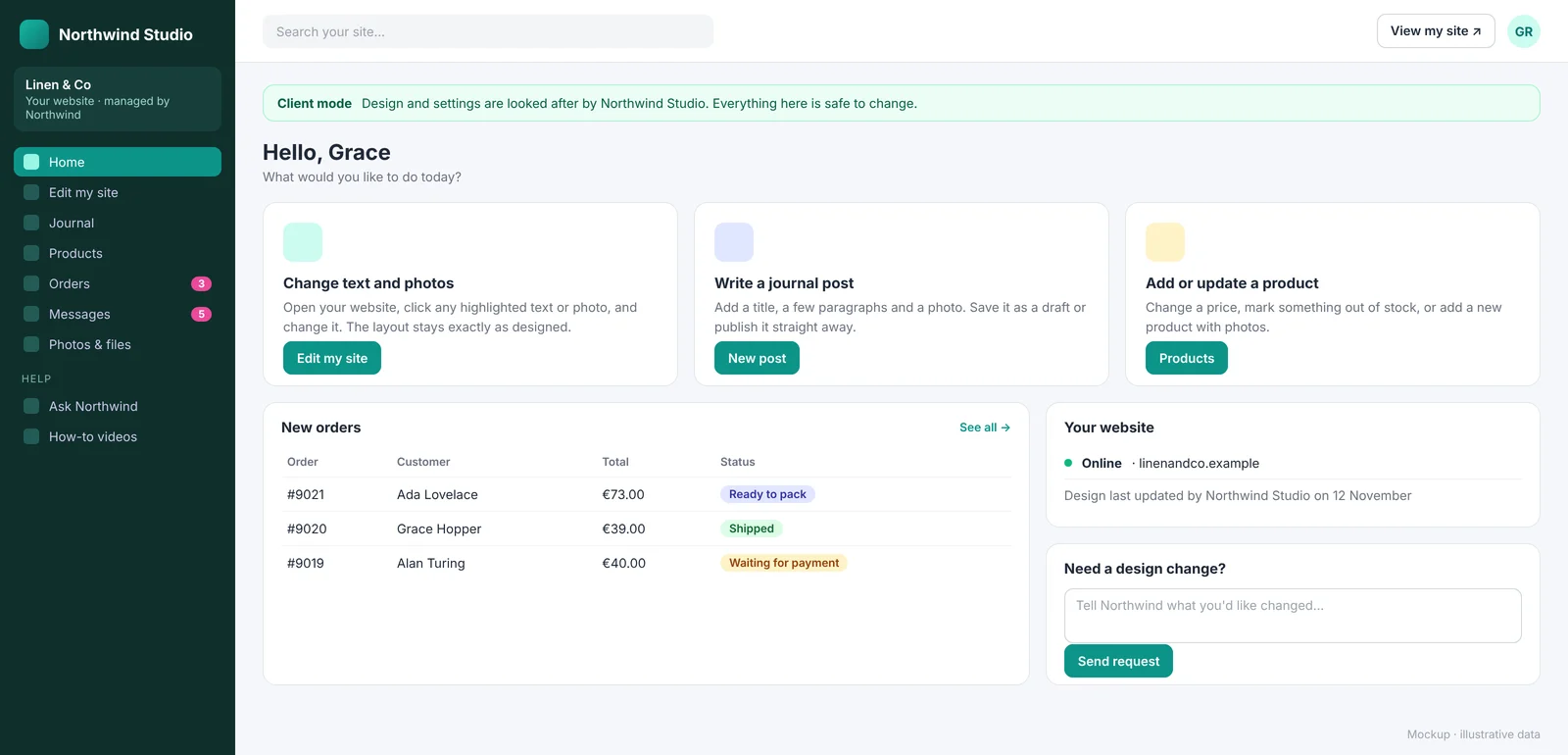
A calm, branded admin
Home, Edit my site, Journal, Photos & files, Products, Orders, Messages, Help. Your name, logo and colour. The rest of WordPress is hidden from clients only.
The design stays locked
Canvasly pages can't be opened in the block editor or have their template changed by clients. Edits are stored separately, so the page's own HTML is never rewritten.
History and undo
"Changed by Grace · Undo" for every edit. Two people editing at once get a warning instead of overwriting each other.
How it works, in four steps
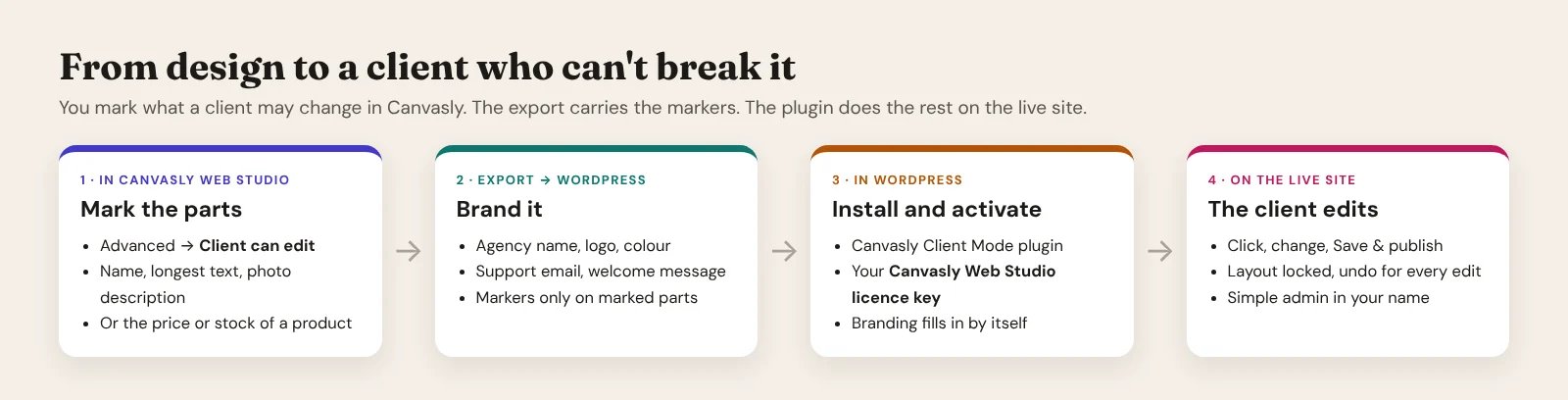
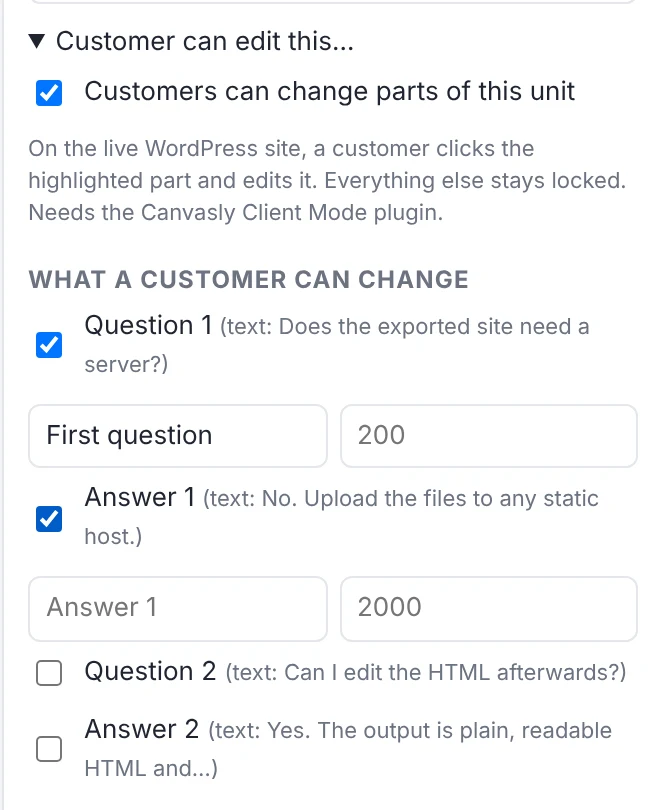
- Mark the parts in Canvasly. Select any unit (a Heading, an FAQ, a Pricing table, a whole Section), open Advanced → Client can edit, and give it a name the client sees.
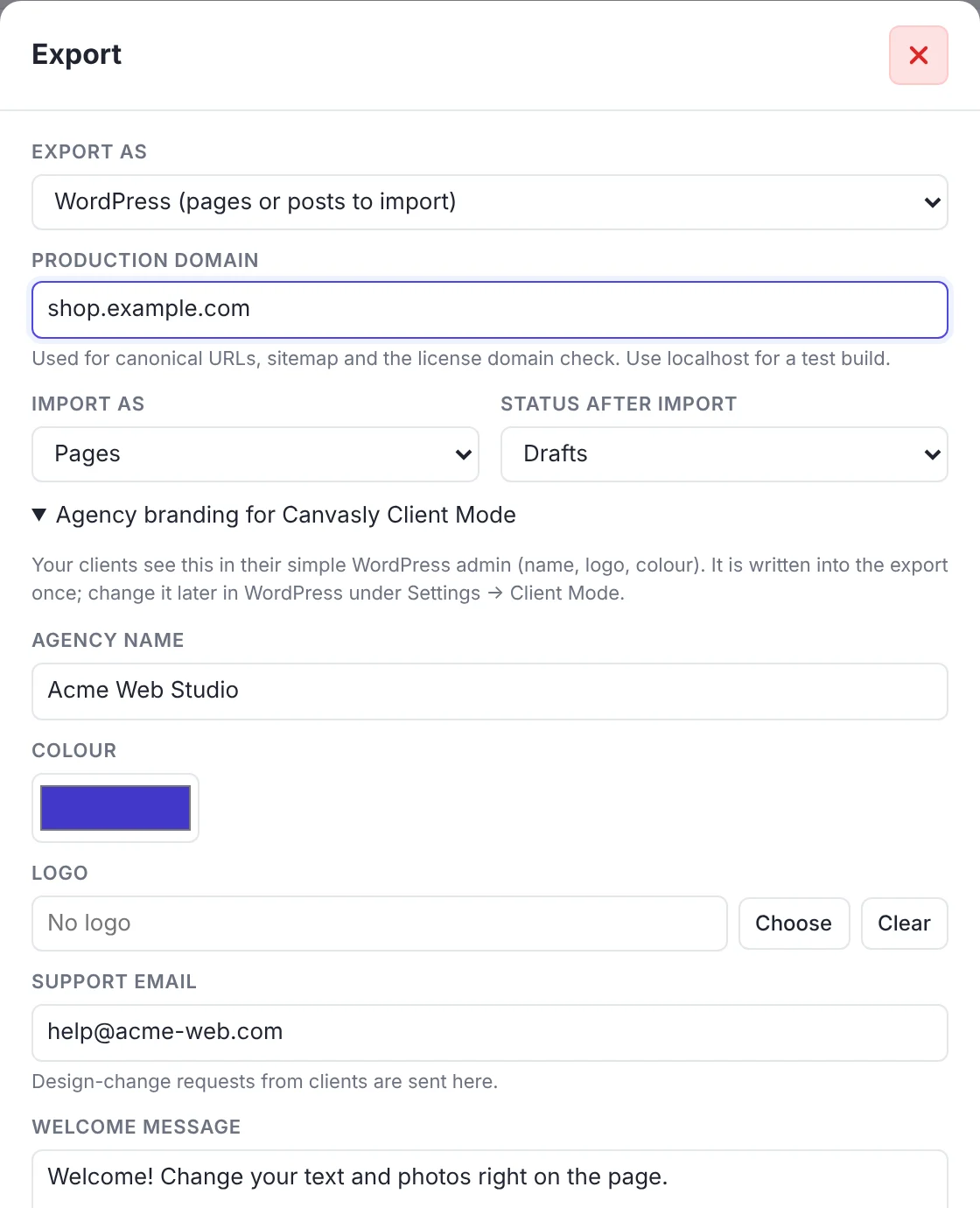
- Export to WordPress. Export → WordPress carries small
data-cv-*markers on those parts only, and your agency name, colour, logo, support email and welcome message for the client admin. - Install the plugin and start the free trial. The plugin zip comes in the same download as the app. Settings → Client Mode → Licence → Start the 7-day free trial, no key needed; later, enter your licence key. The branding fills in by itself.
- Hand it over. Add a user with the Client role. They sign in to a simple admin and edit on the page.
What a client can change
| Unit | The client changes | Checked on every save |
|---|---|---|
| Heading | The heading text, or the price or stock of a product | Plain text, longest length you set |
| Rich Text | A short text with bold, italic and links | Only bold, italic, line breaks and safe links; length |
| Image | The photo (from the media library or a new upload) | A real image; a description (alt text) unless you made it optional |
| Button | The button text and link | Link starts with https://, mailto:, tel:, or is a path |
Everything else on the page stays locked. The plugin enforces these rules again on the server, so a client can't get around them from the browser.
This is what Canvasly writes for you. Hand-written markers work too.
Shops, menus and videos
Client Mode works with the plugins your clients already run:
- Sidcraft Commerce first, then WooCommerce: change a price or stock on the page, or in a simple Products list; add products with photos; see orders in plain words ("Ready to pack") and press Mark as sent.
- Sidcraft Restaurant and VidCellar: choose which content types clients may manage; their settings screens stay hidden.
- Help videos of your choice (YouTube or Vimeo) on the client's Help page.
On headless WordPress sites too
On a Next.js or Astro site (see headless WordPress), an editor opens Edit on the page in WordPress and lands on the live front end with a signed link that lasts two hours. The export includes a tiny loader that does nothing for visitors. Saved edits appear in the content the front end reads, and the Canvasly Headless Connector refreshes the page. The link carries its token in the address fragment (never sent to a server), only works for Client Mode, and ends when the user's password or role changes.
"Need a design change?"
Layouts and styles are yours, so clients ask instead of trying. A short form, with the page address and an optional screenshot (taken in the browser, only when the client chooses to share), is emailed to you and kept under Settings → Client requests. Five requests an hour per client.
Free for 7 days, then the same licence key as Canvasly Web Studio
Free trial: the plugin has its own 7-day trial with every feature, started with one click and no key. It is once per site address, so reinstalling the plugin does not restart it. When it ends, Client Mode switches off exactly as described below, until you enter a key.
After the trial, enter your Canvasly Web Studio licence key under Settings → Client Mode → Licence. Client Mode works on the addresses your licence covers: a site you exported to uses the same domain slot, so there's no extra slot and no extra key. A WordPress site doesn't use up one of your installations, so an agency can run many client sites.
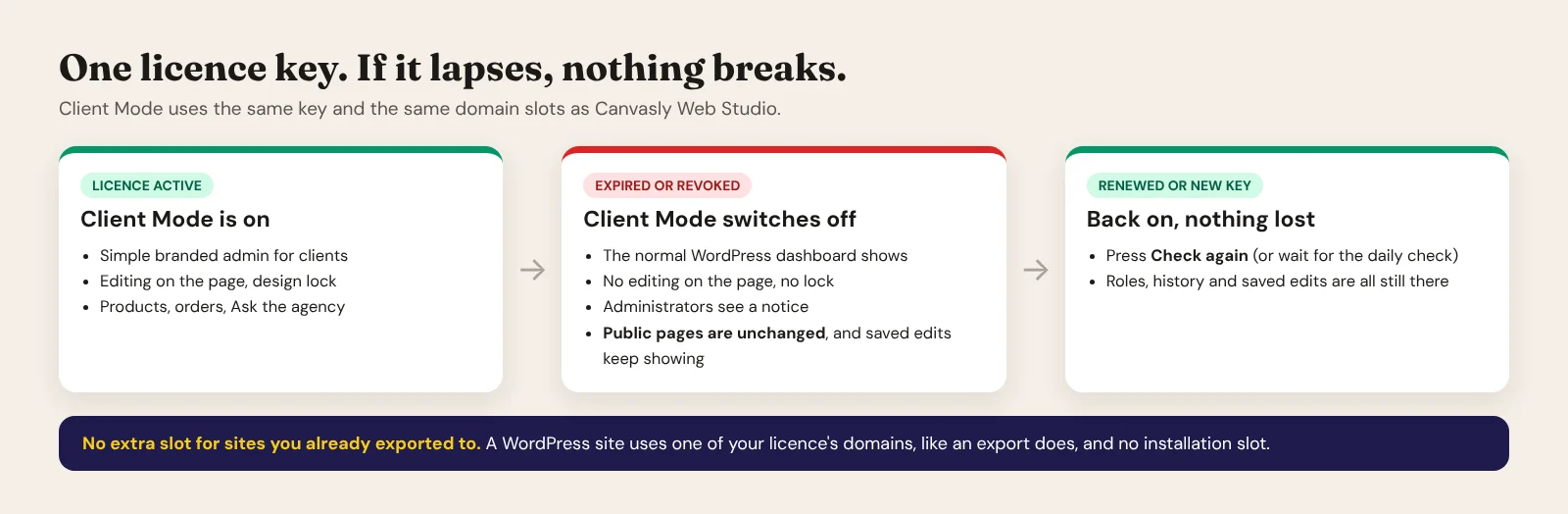
If the licence expires, Client Mode switches itself off. The normal WordPress dashboard shows for everyone, editing on the page and the design lock stop, and administrators see a notice with the way back. Your public pages are not changed, and edits your clients already saved keep showing to visitors. Renew the licence or enter a new key and press Check again (it also checks once a day): Client Mode switches back on, and roles, history and saved edits are all still there.
The check sends your licence key, the site's address, the WordPress and plugin versions and a random site id to the Canvasly licence server when you activate and once a day. Nothing else leaves your site. If the server can't be reached, a confirmed licence keeps working for up to 14 days, never longer than the licence itself.
Questions
Do I need Canvasly Web Studio?
The markers come from Canvasly Web Studio (or you add them by hand), and after the trial the plugin uses your Canvasly Web Studio licence key. The plugin has its own 7-day free trial, so you can try it before buying anything. Both come in the same download.
Does it work with pages built in the block editor?
Canvasly pages are the focus. You can choose to let clients edit other pages in the block editor (Canvasly pages stay locked).
What happens to the pages if I stop paying?
Nothing visible. The public pages keep working and keep showing the edits clients saved. Client Mode's own features switch off until the licence is renewed.
Which WordPress and PHP does it need?
WordPress 6.1 or later and PHP 7.4 or later, the same baseline as the Sidcraft plugins, with any theme (Canvasly pages use their own template).
Is this the Canvasly CMS?
No. Client Mode runs inside WordPress today. Canvasly CMS is a separate, planned system; its admin screens and on-page editing build on what Client Mode proves. Join the Canvasly CMS waitlist to hear first.