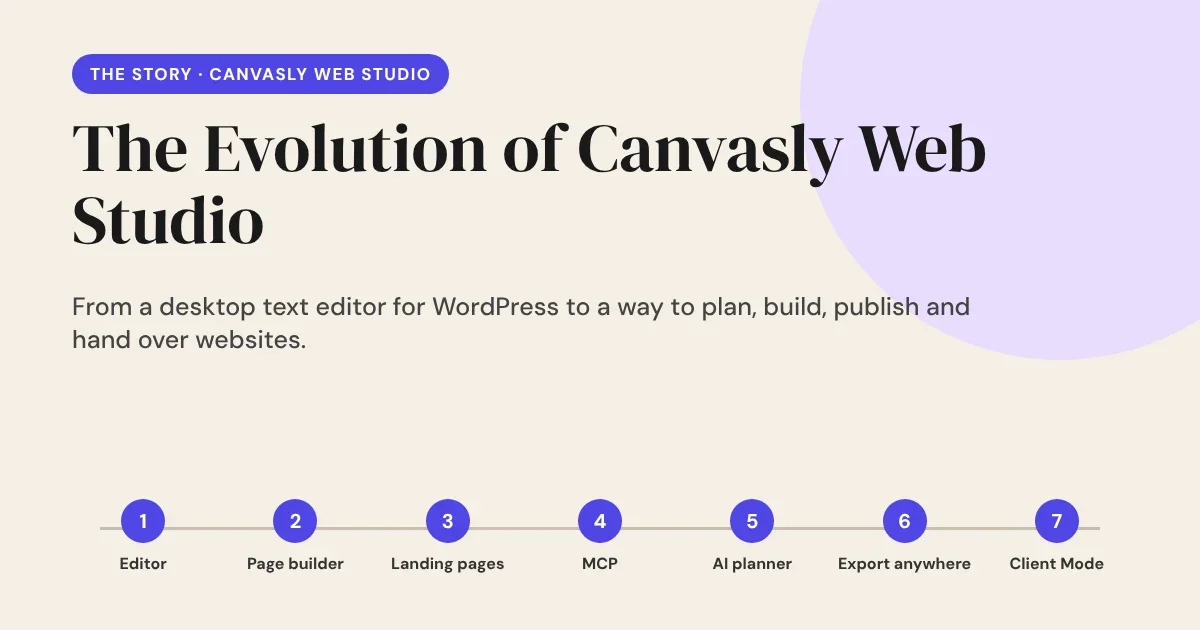
Canvasly Web Studio did not start as a grand plan. It started as a small annoyance: I wanted to edit my WordPress pages without opening WordPress. Every feature since has come from the same place, a real problem I kept running into, solved one step at a time. This is that story, told in the order it happened.
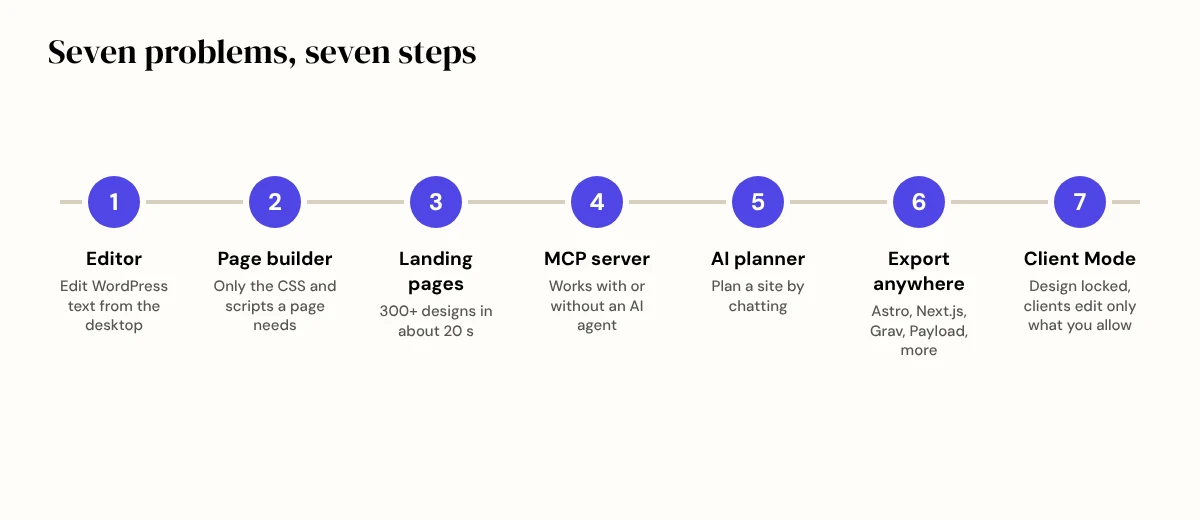
1. I needed a better way to edit
The first version was not a page builder. I needed a rich text editor on my desktop that could bind to WordPress over the REST API. I would open a page, change the text, press save, and it would be live. No login, no dashboard, no waiting for the admin screens to load.
It worked, and it felt fast and focused. But once I could edit pages from my desktop, the next question was obvious: why could I not build them there too?
2. Frustrated with page builders
I had spent years with the popular WordPress page builders, Elementor, Divi and others. They are powerful, but in my experience they come with a price:
- Bloat. They load JavaScript and CSS on every page, whether that page needs it or not, and WordPress gets slower.
- Messy markup. Pages end up full of shortcodes and nested divs.
- Lock-in. Turn the builder off and the visitor sees gibberish: raw shortcodes where the design used to be. You cannot move the site somewhere else without rebuilding it. Every builder, in effect, locks you in.
I did not want that. So I added a page builder to my rich text editor. It still connects to WordPress through the REST API and still lives on the desktop, but it follows one rule: each page loads only the CSS and scripts that page actually needs. Nothing extra, and no shortcodes left behind. The output is clean HTML that stays readable without the editor.
Over time the builder grew into a full toolbox: more than 150 units from headings and galleries to forms, popups and menus, plus design tokens, responsive controls and a collections feature for lists such as products, team members and events.
3. Landing pages in seconds, not days
Designing a landing page theme was time consuming. Choosing a layout, colours, fonts and spacing took hours, sometimes days.
So I added a Landing Page Generator. It creates landing pages on the fly: over 300 in about 20 seconds. I can browse them like a gallery, pick the one I like and carry on from there. It changed how I start a project. Instead of a blank page, I start with hundreds of options and choose.
4. The "AI fever" era, on my own terms
We are living through an AI fever, and I wanted Canvasly to be part of it without depending on it. So I built an advanced MCP server (Model Context Protocol) into Canvasly Web Studio.
It works in two ways:
- On its own, with no AI agent connected, to modify and rework landing pages.
- With the AI agent of your choice, such as Claude, GPT or Cursor, when you want more power.
An AI assistant can now work inside your website project, not just suggest code for you to paste in. It runs on your own computer, needs a token, and keeps code and delete actions off until you switch them on.
5. Planning a website by chatting
Before a website exists, there are questions. Who is it for? Which pages does it need? What goes on each one?
So I added an AI Chatbot and AI Planner. You describe the project in a conversation, and the planner turns it into a plan: a brief, a sitemap with every page and section, wireframes with real copy, and a site style. For a simple theme, Canvasly builds the result with its built-in tools, so you are not burning your AI tokens on routine work. When the job needs more, you connect an AI agent for the advanced tasks.
You start with a chat and finish with a plan and a theme to build from.
6. "WordPress is dead." Then do not depend on it.
I read on X, again and again, that WordPress is dead. I do not believe that. WordPress still runs a huge share of the web. But it made me ask an honest question: what if a client does not want WordPress?
At that point Canvasly exported only to WordPress. So I opened it up. Today Canvasly Web Studio can:
- Export to Astro, Next.js, React, Grav CMS, Payload, EmDash, plain static HTML and more,
- Deploy to hosting platforms such as Vercel and Railway,
- Export to WordPress, and bind to WordPress: design once, and the title, images and fields come from WordPress while a fast Astro or Next.js site serves the pages,
- Rebuild an existing website from its address into an editable project, which is the first step of a migration.
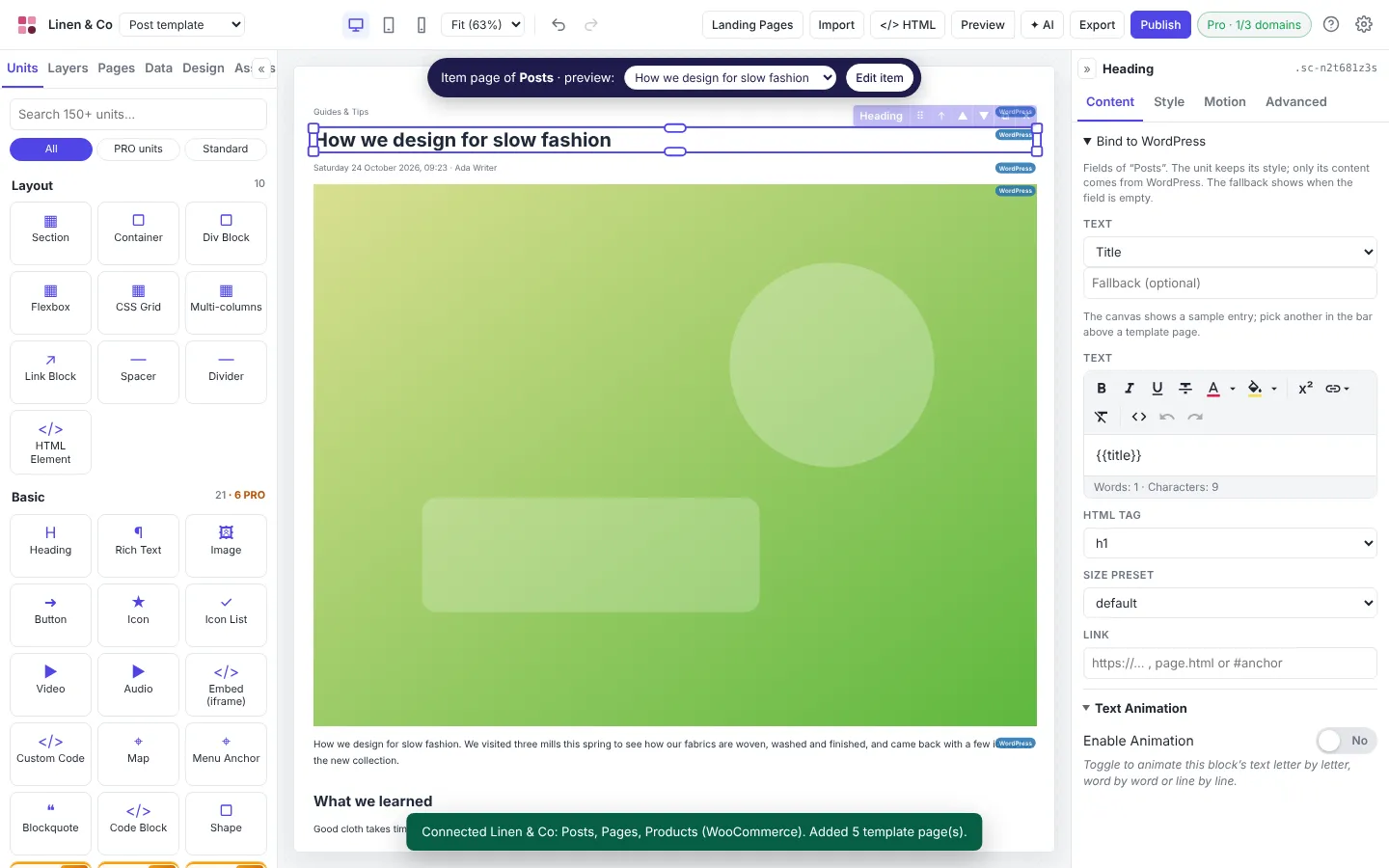
For shops, Canvasly works with Sidcraft Commerce first and WooCommerce second. You design once and publish wherever the project needs to go. Your work is no longer tied to one platform, which is the lock-in I set out to escape.
7. Client Mode: hand over the site without the worry
Web developers know this story. You deliver a beautiful website, hand it to the client, and a week later the layout is broken because someone "just changed one thing".
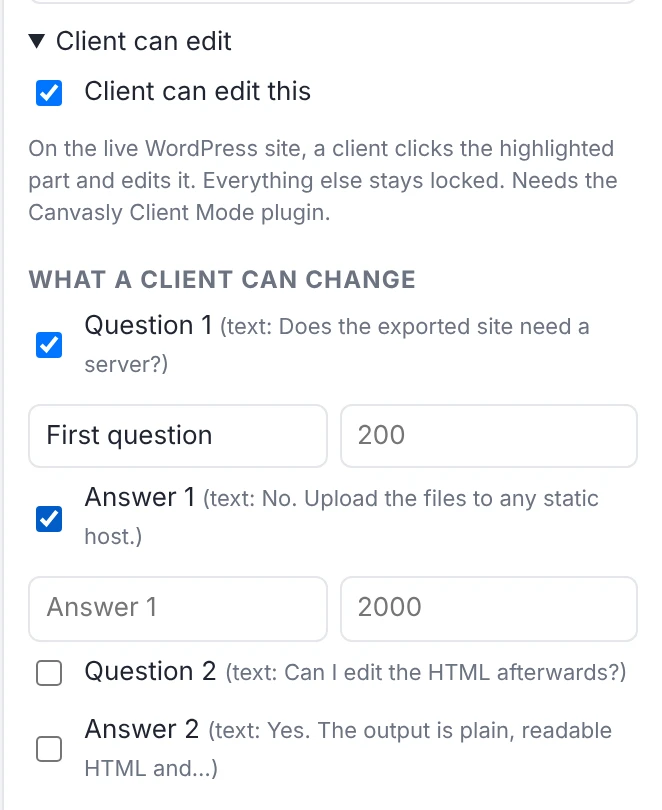
So I built Canvasly Client Mode, a WordPress plugin that works with sites designed in Canvasly Web Studio:
- The design is locked. Layout, styles and structure cannot be broken.
- You decide what a client can edit, down to individual units, texts, links, photos and fields. The opening hours and the price list, yes. The header layout, no.
- Clients never see the normal WordPress dashboard. They sign in to a simple admin with your name and logo, click the highlighted parts of the live page, change them and press Save and publish. Every edit can be undone.
Clients feel in control of their content, and you keep control of the design. Everyone sleeps better.
8. A new kind of tool
Put it all together and you get something that is different from the page editors I know:
| The problem | What Canvasly Web Studio does |
|---|---|
| Editing WordPress content without its dashboard | A desktop editor connected over the REST API |
| Slow, bloated pages | Each page loads only the CSS and scripts it uses |
| Lock-in | Clean output, and export to many platforms, not only WordPress |
| A slow start | Over 300 landing pages in about 20 seconds |
| AI that works on your site | An MCP server, with or without an AI agent |
| Planning | An AI chatbot and planner that turn a conversation into a site plan |
| Leaving WordPress | Export to Astro, Next.js, Grav, Payload and more, or bind to WordPress |
| A safe hand-over | Client Mode: a locked design, editable only where you allow |
I have not found another page builder that combines all of these, but you should judge that for yourself. Canvasly Web Studio is for Windows today, and it comes with a free 7-day trial.
It began with one small problem, editing a paragraph without logging in. Every feature since has solved the next real problem. And the story is not finished yet.
Try it: Download Canvasly Web Studio and use the free 7-day trial.
Related reading: Migrate WordPress to Astro or Next.js with AI · Headless CMS vs. monolithic CMS · Canvasly Client Mode · Template gallery