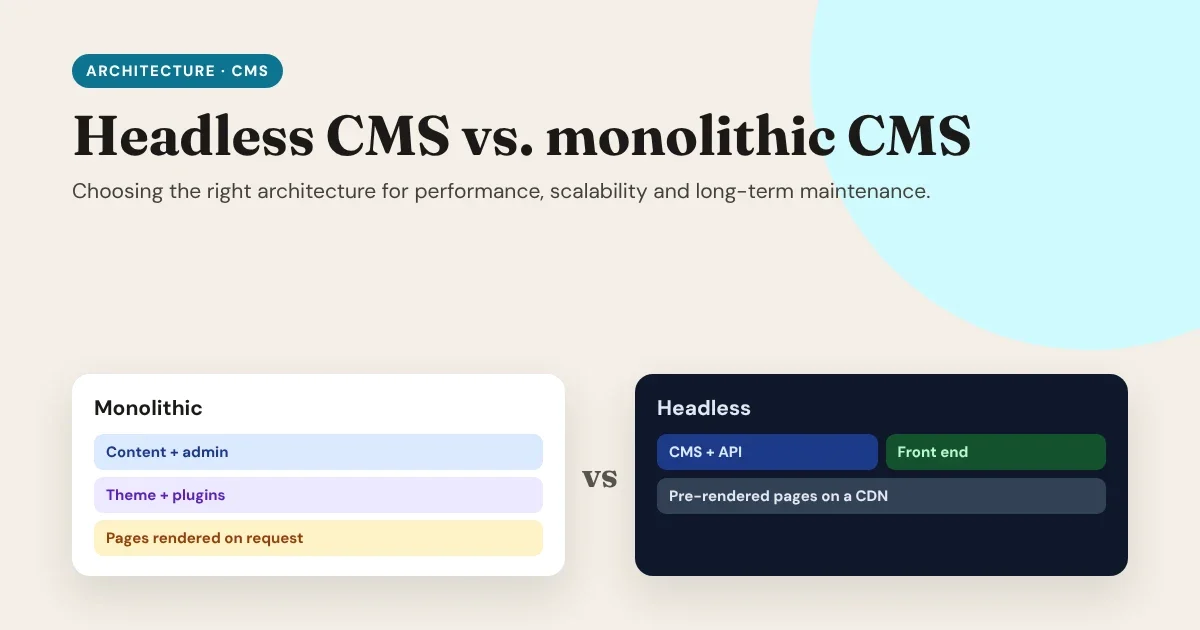
Every website runs on an architecture, whether you chose it or not. For most of the web's history, that meant a monolithic CMS: one system that stores your content, lets your team edit it, and builds the pages visitors see. A headless CMS splits those jobs apart: the CMS only manages content, and a separate front end turns it into a fast website. Neither is "better" in general. This guide helps you choose the right one for your site, and plan for the years after launch.
The question isn’t “which architecture is better?” It’s “which one will still be easy to run in five years?”
- Monolithic: one system that edits, renders and serves.
- Headless: a CMS for content, a separate front end for the website.
The real question
The two architectures in one minute
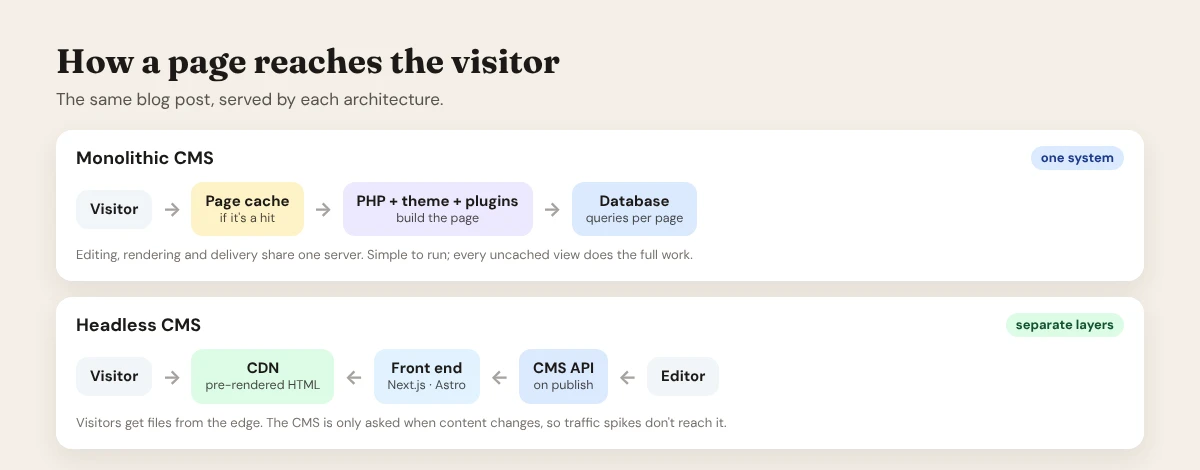
Monolithic (traditional) CMS. WordPress with a theme, Drupal, Joomla and Grav in their classic setup. Content, admin, templates and plugins live in one application on one server. When a visitor asks for a page, the CMS builds it, usually with PHP and database queries, unless a cache already has a copy.
Headless CMS. The CMS (WordPress in headless mode, Payload, EmDash, Strapi, Sanity, Contentful and others) stores content and offers it through an API. A separate front end, often built with Next.js or Astro, fetches that content, renders the pages (often ahead of time), and serves them from a CDN close to the visitor.
Head to head
| Monolithic CMS | Headless CMS | |
|---|---|---|
| Speed | Good with page caching; uncached pages do the full work | Excellent by default: pre-rendered pages from a CDN |
| Traffic spikes | Scale the server, the database and the cache | The CDN absorbs them; the CMS barely notices |
| Security | Admin, plugins and the public site share one server | Public site is static files; the CMS can be hidden away |
| Editing | What you see is what you get; instant preview | Needs a preview set up; the editor and site are separate |
| Plugins | Huge ecosystem that changes the front end directly | Front-end plugins (forms, sliders, page builders) don't carry over |
| Design freedom | Within the theme and builder | Any design, any framework |
| Channels | Mainly one website | One content source for a website, app, kiosk or email |
| Hosting | One server, one bill | Two parts: the CMS and the front end |
| Skills needed | Lower: install, theme, plugins | Higher: APIs, a framework, builds and deploys |
| Long-term change | Redesigns often mean migrations | Redesign the front end without touching content |
Performance
A monolithic CMS can be fast. With a full-page cache and a CDN in front, most visitors get a stored copy and never touch PHP or the database. The difficulty is everything that can't be cached easily: logged-in users, carts, search, personalised content, and the first visit after content changes. Each of those does the full work: theme, plugins and database queries.
A headless front end flips the default. Pages are built ahead of time and served as static files from the edge, so a typical page view does almost no work. The front end only ships the code its own pages need, rather than every plugin's stylesheet and script. (See Minimalist web stack vs. heavy page builders.)
Rendering strategies, in plain words
| Strategy | What happens | Good for |
|---|---|---|
| Static generation (SSG) | Every page is built at deploy time | Sites that change a few times a day |
| Incremental regeneration (ISR) | Pages are built once, then refreshed in the background or when content is published | Blogs, catalogues, news: fast and fresh |
| Server-side rendering (SSR) | The page is built on every request | Personalised or constantly changing pages |
| Edge rendering | SSR, but close to the visitor | Fast personalisation at scale |
Most headless sites mix them: static or ISR for content pages, server rendering only for the few pages that need it.
Scalability
With a monolith, more traffic means a bigger server, more PHP workers, a tuned database and careful caching. It works, but spikes (a product launch, a viral post, a TV mention) arrive faster than servers scale, and the database is usually the first thing to strain. (See Database performance tuning 101.)
With headless, visitors hit the CDN, not the CMS. The CMS is only asked for content when something is published or a page is regenerated. Traffic and editing are separated, so a spike that would overwhelm a single server is just more file downloads for the CDN.
In a headless setup, traffic and editing are separated. Visitors talk to the CDN; only your editors and your builds talk to the CMS.
Why headless scales
Security
In a monolith, the public site and the admin share one application. Every plugin that adds a front-end feature is also code that runs on your public server. That's why monolithic sites need constant updates and often a web application firewall.
In a headless setup, the public website is mostly static files with very little to attack. The CMS can live on a separate address, behind a firewall or a login, reachable only by your editors and your build process. It still needs updates, but a vulnerability in the CMS no longer means visitors' pages are exposed in the same way.
Editing, preview and SEO
This is where monoliths have traditionally shined:
- Preview: editors see exactly what they'll publish. A headless site needs a preview route in the front end that shows drafts in the real design. It's very doable, but it has to be built.
- Page builders and visual editing: most CMS page builders render on the CMS's own front end, so they don't work headless. The design moves to the front end, where developers (or a visual design tool) own it.
- SEO: both can be excellent. Headless gives full control over markup and speed, but you must rebuild what SEO plugins did for you: meta tags, sitemaps, structured data and redirects.
The hidden costs
Of monolithic:
- Plugin sprawl: every feature is another plugin to update, another possible conflict.
- Theme lock-in: a redesign often means rebuilding page layouts.
- Caching complexity: as the site grows, so do cache rules, exclusions and purges.
- Scaling the database under load.
Of headless:
- Two systems to host, update and monitor.
- Front-end development: someone has to build and maintain the templates.
- Rebuilding plugin features on the front end: forms, search, comments, carts.
- Preview and rebuild-on-publish need to be set up and kept working.
The middle path: headless with your existing CMS
You don't have to switch CMS to go headless. The most practical route for many teams is headless WordPress: keep WordPress, the admin your editors know, WooCommerce for your shop, and your existing content. Then add a fast Next.js or Astro front end.
- Editors keep writing in WordPress.
- Visitors get pre-rendered pages from a CDN.
- Payments and the order back office stay in WooCommerce.
- You can move one section at a time, for example the blog first, while the rest of the site stays as it is.
Decision guide
Choose a monolithic CMS when:
- You're a small team without developers, and the site is mostly brochure pages and a blog.
- Your site depends on many plugins that render on the front end, and rebuilding them isn't worth it.
- Speed is "good enough" with a page cache, and traffic is predictable.
- Budget and simplicity matter more than top performance.
Choose a headless CMS when:
- Speed and Core Web Vitals directly affect revenue or ranking.
- Traffic is spiky, or global.
- You want a custom design without fighting a theme.
- The same content feeds several channels: website, app, kiosk, newsletter.
- You expect to redesign or change frameworks in the next few years without migrating content.
- Security requirements favour keeping the CMS off the public internet.
Consider the middle path (headless WordPress) when: you want headless speed and scalability, but your team and your shop already live in WordPress.
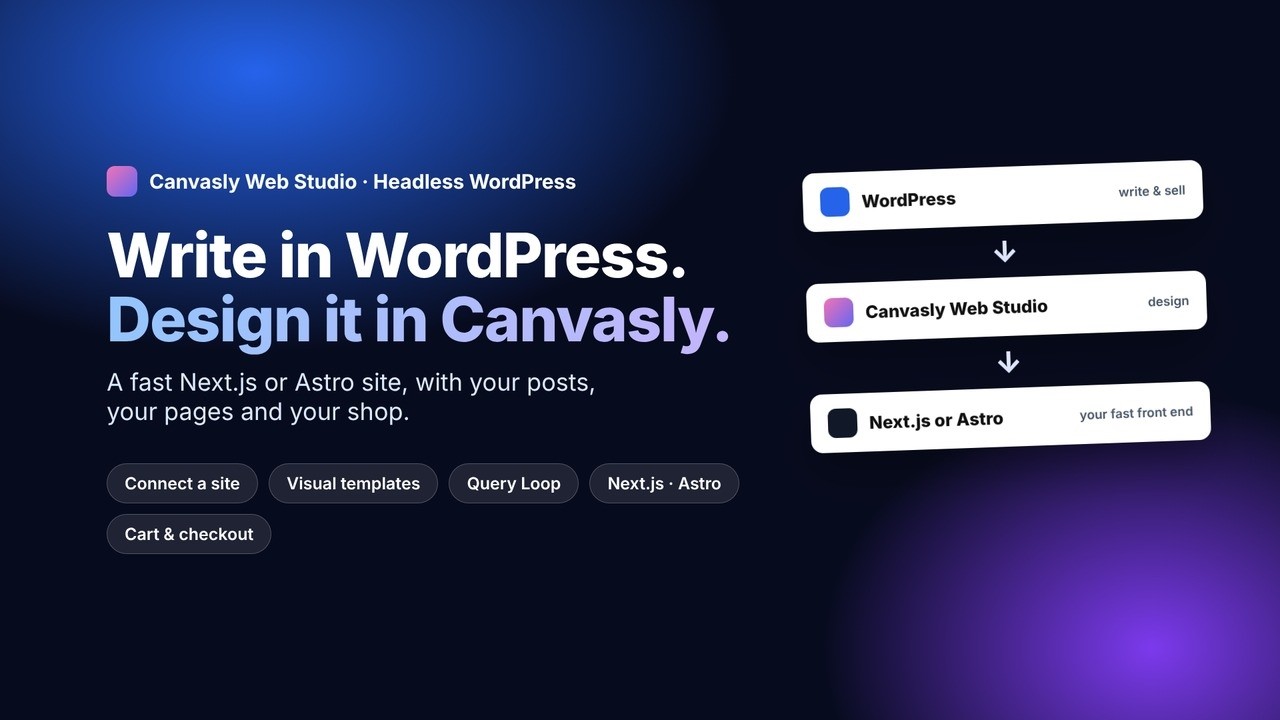
You don’t have to choose between the CMS your team knows and a fast website. Keep WordPress for writing and selling, and give visitors a modern front end.
The middle path
Migrating safely
If you decide to go headless, move in steps:
- Start with one section, usually the blog, where content is simple and traffic is high.
- Keep every URL the same, or add 301 redirects for anything that changes.
- Rebuild SEO basics: titles, descriptions, canonical tags, structured data, sitemaps and the RSS feed.
- Set up preview so editors can see drafts in the real design before go-live.
- Refresh on publish, so new posts appear within seconds, not after a full rebuild.
- Compare before and after: Core Web Vitals, search traffic and conversions.
Long-term maintenance: the 5-year view
Architectures look different in year five than at launch:
- A monolith tends to accumulate: more plugins, more custom code, more cache rules. A redesign often becomes a migration.
- A headless site tends to separate: content stays put while the front end is replaced when design or technology moves on. The price is maintaining two systems and the integration between them.
Whichever you choose, the most valuable thing you can protect is your content and your design: in open formats, portable, and not locked into one plugin, theme or vendor.
Where Canvasly Web Studio fits
Canvasly Web Studio takes the hardest part out of going headless, building the front end, and keeps both options open:
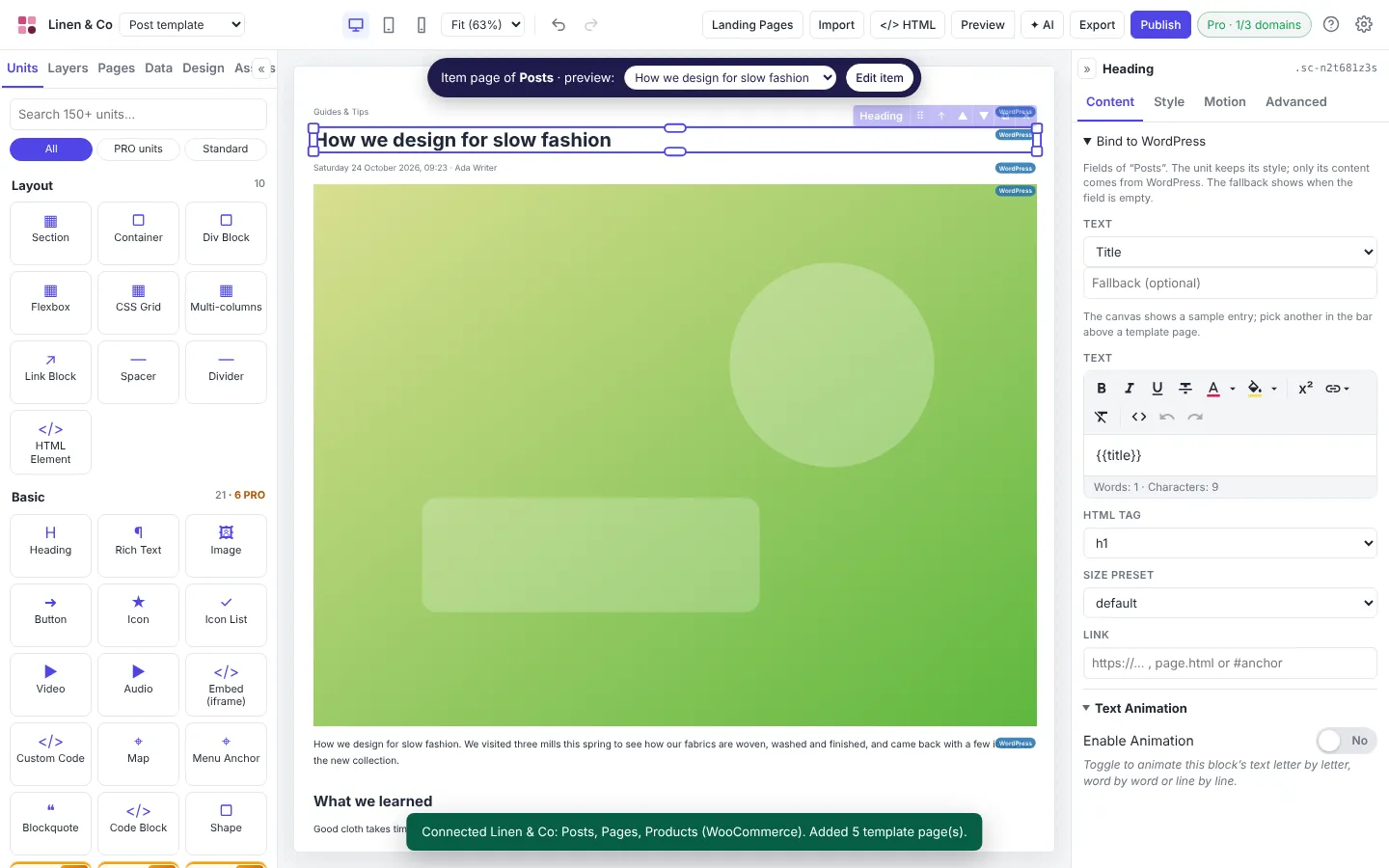
- Connect your WordPress site and Canvasly lists your posts, pages and WooCommerce products, then adds a post template, page template, blog and shop already filled with your content.
- Design templates visually and bind headings, images and buttons to WordPress fields with Bind to WordPress. Design lists with the Query Loop: pagination, categories, tags, prices and stock included.
- Export a Next.js or Astro front end. The free Canvasly Headless Connector plugin refreshes pages when you publish (instantly with Next.js, by rebuild with Astro), and Next.js sites preview drafts in your real design.
- Keep selling: WooCommerce (and Sidcraft Commerce) carts and checkout work on your fast front end, with card payments on your store's secure checkout.
- Prefer a monolith? The same design exports to WordPress pages, or to EmDash, Payload or Grav, so you can start simple and go headless later without redesigning.
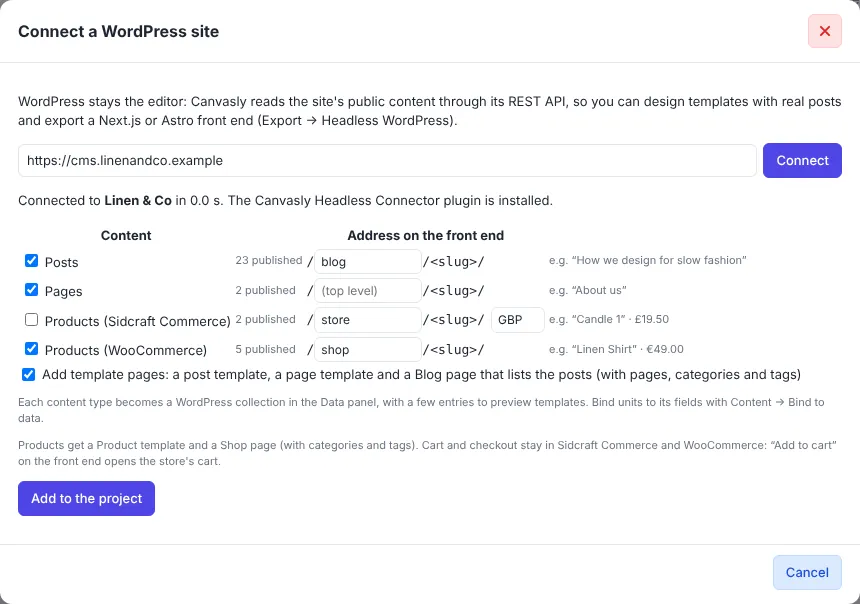
▶ Watch the Headless WordPress demo (opens in a new tab) · Step by step: How to set up headless WordPress with Next.js or Astro
Conclusion
A monolithic CMS is still the simplest, most complete choice for many small sites. A headless CMS wins when performance, scale, security and freedom to redesign matter, at the cost of running two systems and building a front end. For many teams the best answer is in between: keep the CMS your editors know, and give visitors a fast, modern front end. Choose for the site you'll be running in five years, not just the one you're launching next month.
Want to try headless WordPress without hand-coding the front end? Try Canvasly Web Studio free for 7 days at canvasly.pro.
Related reading: The future of web development in the AI era · Local development setup guide