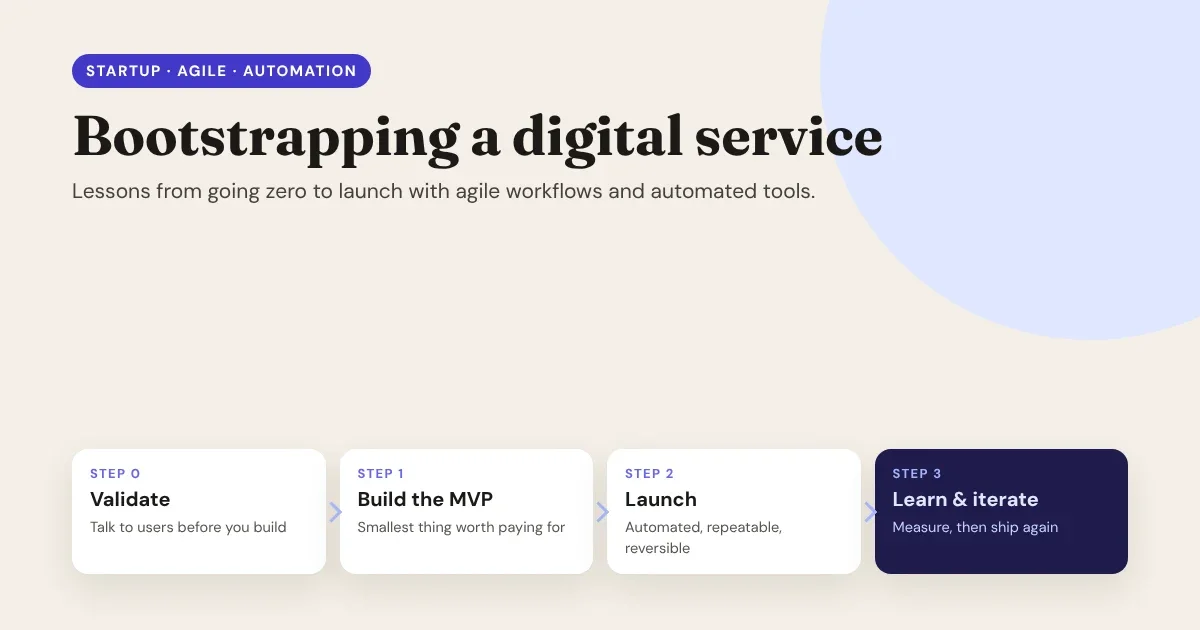
Bootstrapping means building with the money, time and people you already have. No investors to fund a long runway, no team of specialists, no room for six months of building the wrong thing. That constraint is hard, but it's also an advantage: it forces you to learn fast, ship small and automate everything you'd otherwise have to do twice.
This guide collects the lessons that matter most when you take a digital service, a SaaS product, an online course, an agency offer or a paid community, from an idea to a real launch.
Bootstrapping isn’t about doing more with less. It’s about learning faster than your money and energy run out.
- Validate before you build.
- Ship something small every sprint.
- Automate anything you’ll do twice.
The bootstrapper’s rule
The four phases from zero to launch
Most bootstrapped launches go through the same four phases. The mistake isn't skipping a phase; it's staying in one too long.
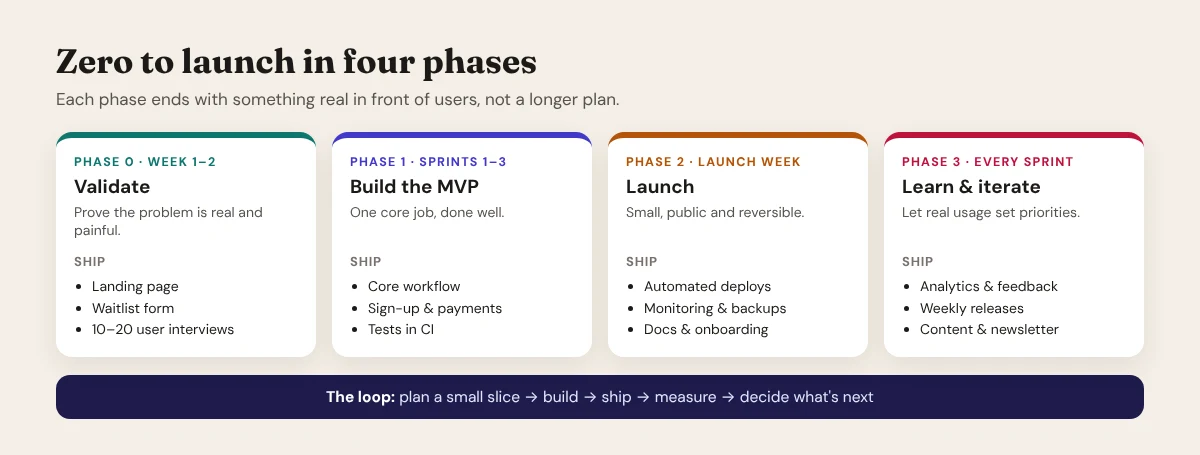
Each phase should end with something real in front of real people: a landing page, a working product, a public launch, a release. A longer plan doesn't count.
Lesson 1: Validate before you build
The most expensive code is code nobody needs. Before writing any, prove that the problem is real and painful enough that people will pay to solve it.
- Write the problem in one sentence. "Small agencies spend hours rebuilding the same client sites" is testable. "A better platform for creators" isn't.
- Talk to 10 to 20 potential customers. Ask how they solve the problem today, what it costs them, and what they've already tried. Listen for workarounds and complaints; those are signs of a real problem.
- Publish a landing page with a waitlist. Describe the outcome, not the features, add a clear call to action and an email signup, and share it where your audience already spends time.
- Ask for a commitment. A signup is a weak signal; a pre-order, a paid pilot or a booked demo is a strong one.
How Canvasly helps: a validation landing page should take an afternoon, not a sprint. In Canvasly Web Studio you can design one visually, add a Newsletter Signup or Lead form unit, a popup that opens on exit intent or after scrolling, and SEO fields (title, description, social image), then publish it to Netlify, Vercel, GitHub Pages or your own server over FTP or SFTP, on your own domain.
Lesson 2: Scope the MVP ruthlessly
A minimum viable product isn't a smaller version of your full vision. It's the smallest thing that does one core job well enough that someone will pay for it, or at least use it every week.
A simple way to scope it:
- List every feature you've imagined.
- Mark each one Must, Should, Could or Won't (yet).
- Build only the Musts. Be suspicious if more than a handful made the list.
Things that are almost never MVP features: custom dashboards, team roles and permissions, integrations with every tool, a mobile app, dark mode, and a settings page for things nobody has asked to change.
Things that almost always are: the core workflow, a way to sign up, a way to pay, a way to contact you, and enough onboarding that a stranger can succeed without a call.
If you’re not a little embarrassed by your first version, you probably waited too long to launch it.
- One core job, done well.
- Everything else goes on the “later” list.
Scope the MVP · after Reid Hoffman
Lesson 3: Run agile, but keep it light
Agile for a team of one to five people isn't about ceremonies. It's about short cycles with a clear goal and an honest review. A lightweight version that works:
| Practice | Lightweight version | Why it matters |
|---|---|---|
| Sprint | One or two weeks with one written goal | Keeps work small enough to finish |
| Backlog | A single prioritized list, top item first | You always know what to work on next |
| Board | To do / Doing / Done, with a limit on "Doing" | Stops you from starting five things and finishing none |
| Daily check-in | Five minutes: done yesterday, doing today, blocked by | Surfaces problems while they're still small |
| Demo | Show the working result at the end of each sprint | "Done" means working, not "almost finished" |
| Retrospective | One thing to keep, one thing to change | The process improves along with the product |
Two rules make the biggest difference: finish before you start (limit work in progress) and define "done" (tested, deployed and documented, not just written).
Lesson 4: Automate anything you'll do more than twice
When you're bootstrapping, your time is the scarcest resource. Every repeated manual step, deploying, testing, sending a welcome email, creating an invoice, is time not spent on customers. Automate the boring parts early:
- Version control from day one. Everything in Git, including content and configuration where possible.
- Continuous integration (CI). Run your tests and checks automatically on every push, so problems surface in minutes, not after launch.
- Continuous deployment (CD). A push to the main branch deploys automatically, ideally with a preview link for every change before it goes live.
- Backups and monitoring. Scheduled, automatic backups, plus uptime monitoring and error alerts, so you hear about problems before your customers do.
- Customer-facing automation. Confirmation and welcome emails, receipts, and a newsletter that sends new posts from your RSS feed.
- AI as an assistant, not an autopilot. Use AI for first drafts, boilerplate code, test ideas and summaries, then review everything before it ships.
A useful rule: if a task has to be done the same way every time, a script or a service should do it. If it needs judgment, a person should do it, with a checklist.
Lesson 5: Use tools that save time without trapping you
Bootstrapped founders lean heavily on tools, and that's the right call. But choose tools you can move away from later: your own domain, exportable data, open formats and standard code. A tool that saves a week now but makes leaving cost a month later isn't a saving. We cover this in depth in SaaS Vendor Lock-in & Data Ownership.
How Canvasly fits in:
- Plan the site in an afternoon. The AI Site Planner turns a short brief chat, or notes you paste in, into a sitemap of pages and sections, wireframes with real copy and a site style. You can share the plan with a client or co-founder as Markdown or JSON, then click Create website to build it from editable units.
- Build the pages a service needs. Pricing tables, sign-up and contact forms, multi-step and payment forms (Stripe, PayPal and Square), popups, menus, and Collections for things like a team, products or events, with CSV import and export.
- Ship it your way. Publish to Vercel, Netlify, GitHub Pages, FTP or SFTP, or export to static HTML, WordPress, Next.js, Astro and more. The exported site is standard code that keeps working on its own.
- Bring your own AI. Use Anthropic, OpenAI, Google Gemini or Azure with your own key, or work without AI at all. A local MCP server lets an AI assistant you choose work with your project.
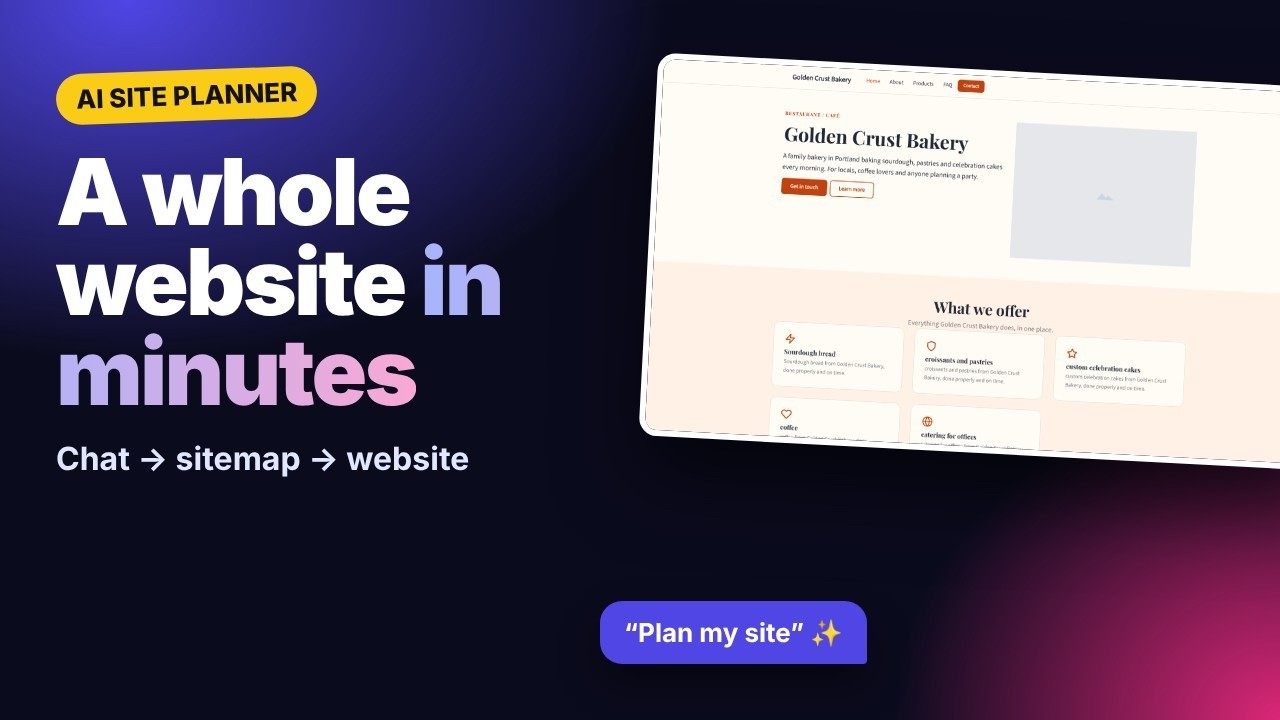
▶ Watch the AI Site Planner tutorial on YouTube (opens in a new tab): from a short chat to a complete multi-page website.
Lesson 6: Launch small, launch reversibly
A launch isn't one big day. It's a series of small, safe steps, each of which you can undo.
- Soft launch first. Invite your waitlist or a small group of early users before announcing publicly. Fix what confuses them.
- Make every release reversible. Automated deploys, a way to roll back to the previous version, and a database backup taken right before any change to your data.
- Use feature flags for risky changes. Ship the code switched off, then turn it on for a few users first.
- Prepare the boring essentials. Terms and privacy policy, a contact address, clear pricing, password reset, a status or contact page, and a short getting-started guide.
- Then go public. Announce in the communities where your users already are, with a clear story about the problem you solve.
A launch you can undo is a launch you can afford to do this week.
- Automated deploys.
- A tested rollback.
- A fresh backup before every data change.
Launch reversibly
Launch-week checklist
- ☐ Domain, HTTPS and email on your own domain are working.
- ☐ Sign-up, payment and cancellation work end to end, tested with a real card.
- ☐ Automated deploys and a tested rollback.
- ☐ Backups run automatically, and you've restored one.
- ☐ Uptime monitoring and error alerts are switched on.
- ☐ Analytics measure the one action that matters most (for example, "first project created").
- ☐ Welcome email, receipts and a newsletter signup are in place.
- ☐ Terms, privacy policy, pricing and a contact page are published.
- ☐ A getting-started guide or video answers the first five questions people will ask.
Lesson 7: After launch, let real usage set the priorities
Launch day is the start of the learning, not the end of the work.
- Measure one key action. Not page views: the moment a user gets value, such as their first project, booking or purchase. Track how many people reach it, and how fast.
- Talk to users every week. Ask new users where they got stuck; ask people who left why they left.
- Ship small and often. A weekly release keeps momentum, and small changes are easy to understand and easy to undo.
- Keep a changelog. It shows customers the product is alive, and it shows you what actually moved the numbers.
- Turn answers into content. Each question customers ask is a help article, a tutorial video or a blog post waiting to be written, and that content brings in the next customers.
The mistakes that cost bootstrappers the most
| Mistake | What it costs | Do this instead |
|---|---|---|
| Building for months before showing anyone | Time spent on features nobody needs | Validate with a landing page and interviews first |
| Making the MVP too big | A launch that keeps slipping | One core job, done well |
| Manual deploys and no backups | Stressful releases and risky fixes | Automate deploys, backups and checks early |
| Choosing tools you can't leave | High switching costs later | Own your domain, data and code |
| Measuring vanity metrics | Wrong decisions that feel like progress | Track the one action that shows real value |
| Doing everything yourself | Burnout | Automate the repeatable; get help with the rest |
Conclusion
Bootstrapping a digital service comes down to a simple loop: plan a small slice, build it, ship it, measure it, and decide what's next. Validate before you build, keep the MVP small, run short sprints with a clear definition of done, automate everything you'd otherwise repeat, and launch in small, reversible steps.
The right tools make that loop faster without making you dependent on them. That's what we built Canvasly Web Studio for: to get from an idea to a published, professional website quickly, with code you own and can take anywhere.
Ready to build your launch site? Download Canvasly Web Studio and try it free for 7 days: plan the site with AI, design it visually and publish it on your own domain.