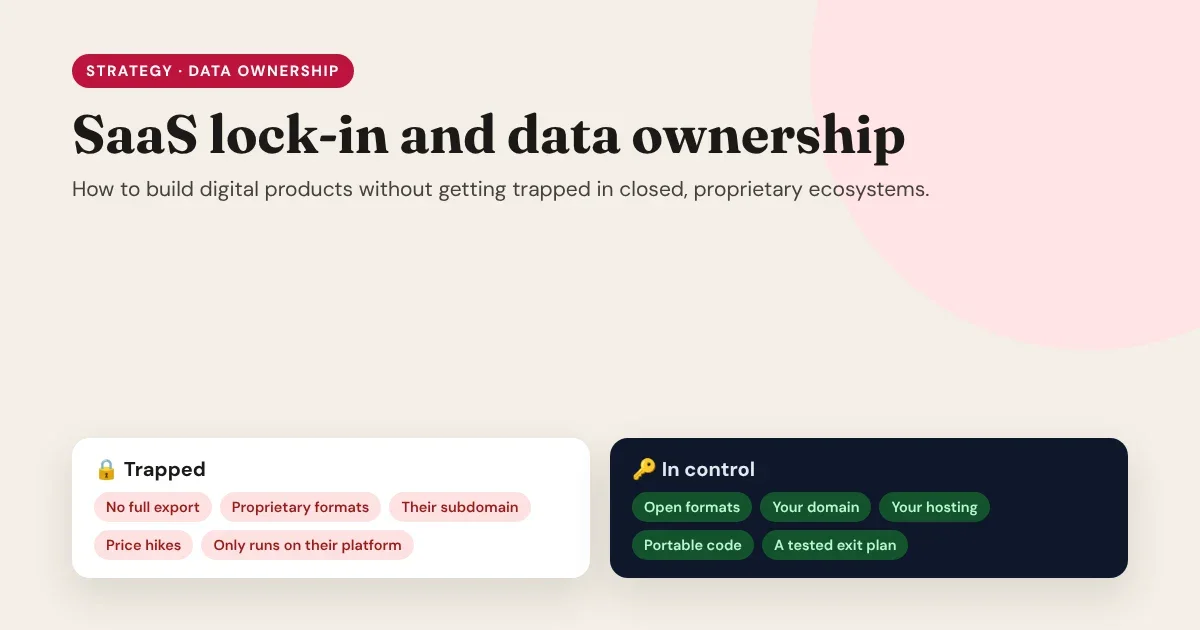
Nobody signs up for lock-in. You sign up for a tool that saves you a week of work. Then you add your content, your customers, your design, your automations and your domain settings. A year later the price doubles, a feature you rely on disappears, or the company is acquired, and you discover that leaving would mean rebuilding everything. That is vendor lock-in: not a contract clause, but the cost of leaving, which quietly grows every month you stay.
This guide explains where lock-in comes from, what it really costs, and how to build websites and digital products that use great services without being owned by them.
The real price of a platform isn’t the monthly fee. It’s what it would cost you to leave.
- Lock-in grows with every page, customer and workflow you add.
- Ownership means you can move them, on your timeline.
The core idea
How lock-in happens: slowly, then all at once
Software-as-a-service (SaaS) is genuinely useful. Someone else runs the servers, applies the security updates and ships new features. The problem isn't renting software. The problem is when the things that make up your business can only exist inside one company's product.
Lock-in usually comes in several layers at once:
| Type of lock-in | What it looks like | Why it hurts later |
|---|---|---|
| Data | Export is partial, slow, or a format no other tool reads | Your content and customer history can't move with you |
| Design | Pages only render inside the builder; no exportable code | A redesign or a move means starting from a blank page |
| Logic | Workflows, automations and rules built in a proprietary tool | The "how your business works" knowledge stays behind |
| Identity | Your site lives on their subdomain; your email list lives in their app | Search rankings, links and subscribers are tied to their address |
| Pricing | Per-seat, per-page or per-visitor fees that grow with you | Success makes the bill bigger, and leaving makes it bigger still |
| Integration | Other tools are wired directly to their proprietary API | Every connection needs rebuilding when you switch |
| Continuity | The product is sunset, acquired or changes direction | You move on their timeline, not yours |
Each layer on its own is manageable. Together, they turn a monthly subscription into a permanent dependency.
The hidden costs of a closed ecosystem
The subscription price is the visible cost. The real costs show up later:
- Switching cost. Rebuilding pages, re-entering content, re-creating automations, retraining a team. This cost grows with every month of work you put into the platform.
- Negotiating power. When leaving is expensive, the vendor sets the price. You find out how strong your position is at renewal time.
- SEO risk. Changing URLs or domains during a forced migration can cost rankings you spent years earning, unless every old address redirects to its new one.
- Roadmap risk. You can't fix a missing feature yourself. You wait, or you work around it.
- Compliance risk. You're responsible for your customers' data, even when you can't fully see or export it.
A useful legal backstop: in the EU, the GDPR's right to data portability (Article 20) gives people the right to receive personal data they've provided in a structured, commonly used, machine-readable format. That protects individuals. It doesn't guarantee that your pages, designs or workflows come with you, so don't rely on the law to be your exit plan.
Own the core, rent the commodity
Avoiding lock-in doesn't mean self-hosting everything or refusing every SaaS product. That would trade lock-in for a maintenance burden. The practical approach is to decide which parts of your product you must own, and to rent everything else from services that are easy to replace.
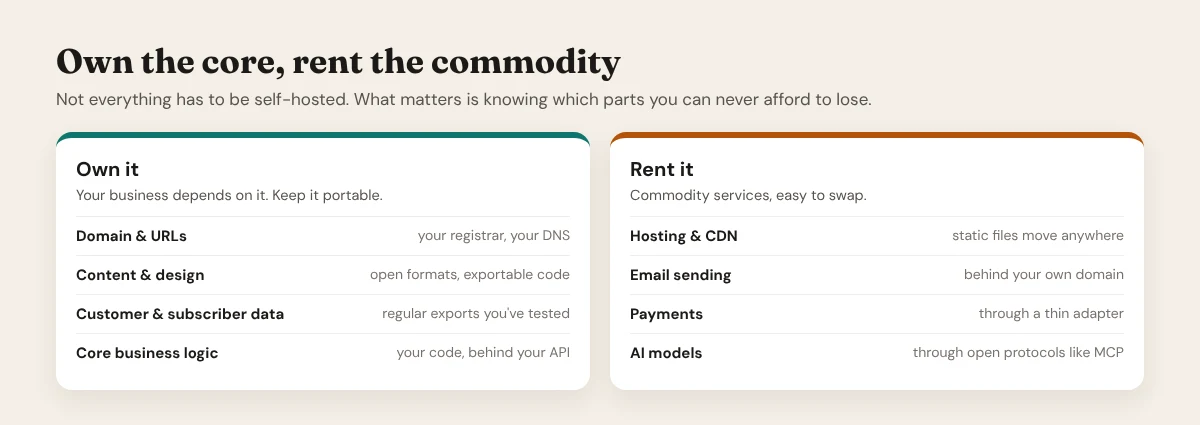
Own it: your domain and URLs, your content and design, your customer and subscriber data, and your core business logic. If one of these disappears, your business disappears with it.
Rent it: hosting and CDN, email delivery, payments, and AI models. These are commodities: several good providers offer them, and you can switch as long as you connected them in a way that's easy to undo.
Rent the services. Own the things your business can’t live without.
- Own: domain, content, design, customer data, core logic.
- Rent: hosting, email delivery, payments, AI models.
Own the core, rent the commodity
Seven principles for building without getting trapped
1. Own your domain and your URLs
Register your domain at a registrar in your own name, and keep the DNS under your control. Publish on your domain, not on a platform subdomain. Your domain is where your search rankings, backlinks and email reputation live; if it's yours, every other part of the stack can change behind it. When you do move, map every old URL to a new one with permanent (301) redirects.
2. Prefer open formats, and test the export
"You can export your data" means little until you've tried it. Favor tools that store work in formats other software can read: HTML and CSS for pages, Markdown for writing, JSON and CSV for structured data, SQL for databases. Then actually run the export, open the result in another tool, and check it's complete. Images, metadata, relations and drafts are often the parts that go missing.
3. Keep content, design and delivery separate
When one platform holds your content, renders your design and hosts the result, all three move together, or not at all. Separate them: content in a CMS or database you control, design in exportable code, delivery on hosting you can swap. Our guide to headless vs. monolithic CMS covers this architecture in depth.
4. Choose open standards and open-source foundations
Build on technologies with more than one vendor behind them: HTML, CSS and JavaScript; WordPress, Astro or Next.js; PostgreSQL, MySQL or SQLite; SMTP for email; OAuth for sign-in. If the company you buy from disappears, an open-source foundation still has a community, documentation and other hosts.
5. Put a thin adapter between your product and every vendor API
Don't call a payment, email or AI provider's API from fifty places in your code. Call it from one small module of your own: sendEmail(), chargeCustomer(), askModel(). Switching providers then means rewriting one file, not your whole product. The same idea applies to no-code tools: keep automations simple and documented, so they can be rebuilt elsewhere.
6. Write an exit plan, and rehearse it
For each important service, write down three things: what you'd take with you, how you'd export it, and where it would go. Then do a fire drill once a year: export everything, restore it somewhere else, and see what breaks. The drill takes an afternoon; discovering the gaps during a real emergency takes much longer.
7. Read the terms before you build on them
Before you commit, check the terms of service and data processing agreement for: who owns the content you create, export formats, what happens to your data if you cancel or the company is acquired, how much notice you get of price changes, and how long your data is kept after you leave.
An export you’ve never tested is a hope, not an exit plan.
- Export everything once a year.
- Restore it somewhere else.
- Fix what breaks while you still have time.
The yearly fire drill
Questions to ask any vendor before you commit
| Question | A good answer | A warning sign |
|---|---|---|
| Can I export everything, including media and settings? | Yes, in documented open formats | "Contact sales" or partial exports only |
| Does my site or product run without your platform? | Yes, exports are standalone | It only renders on your servers |
| Can I use my own domain, hosting and email? | Yes, fully supported | Only on a paid tier, or not at all |
| What happens to my work if I cancel? | It keeps working, and you can export it | It goes offline the day billing stops |
| Is there an API or integration standard? | Documented, open API or open protocols | Closed integrations only |
| Can I leave easily? | They explain the process openly | They avoid the question |
AI makes this more important, not less
AI tools are becoming part of how products are designed, written and run. That creates a new layer of potential lock-in: prompts, workflows and integrations built for one AI provider's proprietary API.
Two habits protect you:
- Keep your AI provider swappable. Use tools that let you choose between providers, and keep the business logic in your own code, not inside one vendor's assistant.
- Prefer open protocols. The Model Context Protocol (MCP) is an open standard for connecting AI assistants to tools and data. A tool you expose through MCP works with any assistant that supports the protocol, instead of being tied to one vendor's plugin store.
How Canvasly Web Studio approaches lock-in
We build Canvasly Web Studio, so we've tried to apply these principles to our own product. To be clear about what it is: Canvasly Web Studio is commercial, licensed desktop software, with a free 7-day trial. You pay to edit with it. What you build with it stays yours.
- Your projects are files on your computer. Each project is a folder in
Documents\Canvasly Projects, and the project itself (project.canv) is plain, readable JSON, not a locked database in someone's cloud. Back it up, put it in Git, or keep it on your own drive. - Exports are real, standalone code. Canvasly exports static HTML, CSS and JavaScript, or a project for Next.js, Astro, WordPress, Grav, Payload, EmDash or Railway. Our documentation puts it plainly: sites you export are yours, including the runtime script and stylesheet the compiler adds to them. The exported runtime doesn't check a license or contact our servers, and exported sites keep working even if your license or trial ends.
- Your hosting, your domain. Publish to Vercel, Netlify, GitHub Pages, or your own server over FTP or SFTP, or simply download the files. There's no Canvasly hosting you have to use and no Canvasly subdomain.
- WordPress stays WordPress. A WordPress export uses standard Custom HTML blocks and a page template, so your pages live in your WordPress database like any other content. With headless WordPress, your content stays in WordPress, where editors already work, while the front end is built with Canvasly.
- Your data moves in open formats. Collections (lists like products, team members or blog posts) import and export as CSV, so the data opens in any spreadsheet or database.
- Your choice of AI. Canvasly works with Anthropic, OpenAI, Google Gemini and Azure, and your API keys stay on your computer. Its built-in MCP server runs locally and needs a token, so you decide which AI assistant can work with your projects.
In short: Canvasly is the tool you rent; the website is the thing you own.
Your lock-in checklist
- ☐ My domain is registered in my name and I control its DNS.
- ☐ My site is on my own domain, not a platform subdomain.
- ☐ I have exported my content, design and customer data in the last 12 months, and checked the export was complete.
- ☐ My data is in open formats: HTML, Markdown, JSON, CSV or SQL.
- ☐ Content, design and hosting can be changed independently.
- ☐ Each vendor API is called through one module of my own.
- ☐ I have a written exit plan for every service my business depends on.
- ☐ I know what happens to my work if I cancel each subscription.
Conclusion
Lock-in isn't a reason to avoid SaaS. It's a reason to choose it carefully. Rent the commodities: hosting, email delivery, payments, AI models. Own the core: your domain, your content, your design, your customers and your logic. Keep everything in formats other tools can read, and rehearse leaving before you ever need to.
Do that, and every vendor in your stack becomes a choice you make each month, not a trap you discover at renewal time.
Want to build sites you can take anywhere? Download Canvasly Web Studio and try it free for 7 days. Design visually, then export clean code to the platform and host of your choice.