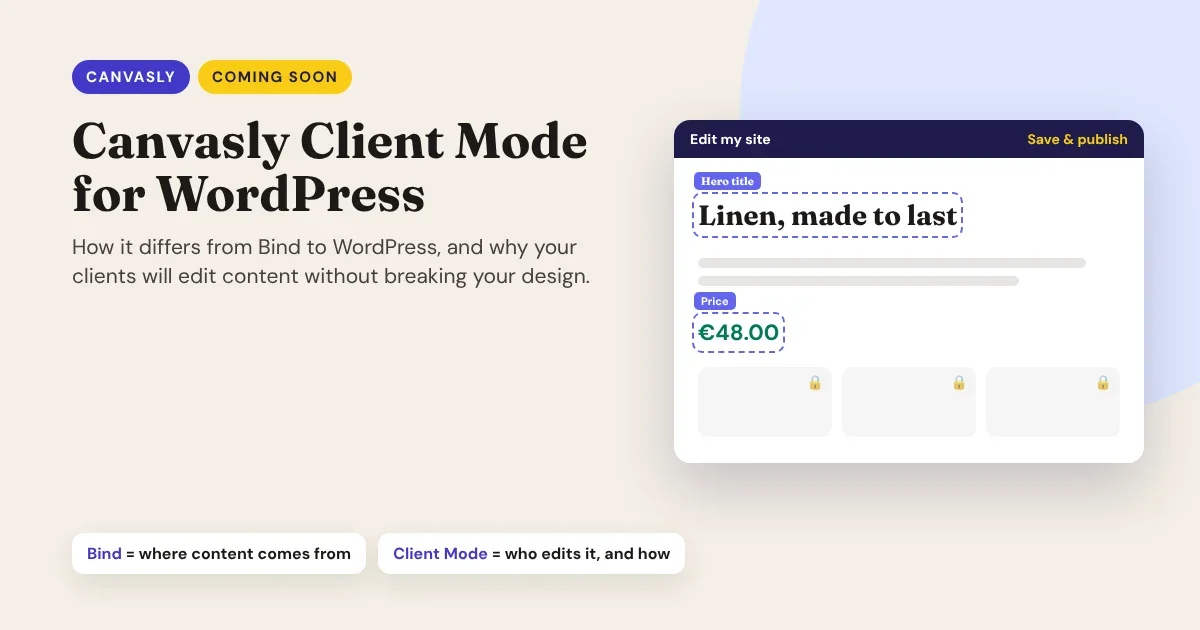
Coming soon to Canvasly Web Studio: Client Mode for WordPress. It's a WordPress plugin that makes the sites you design in Canvasly client-proof. Your clients get a short, branded admin and change their text, photos and prices right on the page, while your design stays locked.
The first question we hear is: "Doesn't Bind to WordPress already do that?" Not quite. They solve two different problems, and they work best together. Here is the difference.
The problem Client Mode solves
You build a beautiful site, hand it over, and a week later the client calls: a section has vanished, a heading is now purple, or the page simply looks "off". After launch, clients open the WordPress admin and find far more than they need: themes, plugins, settings, raw page code. Page builders make it worse, because every margin and column is one drag away.
Canvasly already keeps design and content apart. Client Mode finishes the job by deciding who can change content, where, and how much.
Bind to WordPress today: where content comes from
Bind to WordPress is a feature inside Canvasly Web Studio, used by the designer while building the site.
- You connect a WordPress site to your Canvasly project.
- You bind a unit (a heading, image, Query Loop, product list) to WordPress content: a field, a list of posts or products.
- While you design, the unit shows sample or fallback content.
- You export a headless site in Next.js or Astro. WordPress keeps the content; the fast front end shows it, and the Canvasly Headless Connector refreshes pages when content is published.
Bind to WordPress answers one question: "What does this unit show?" If you're new to the idea, our guide on how to set up headless WordPress walks through it.
What it doesn't change is the editing experience. The client still edits in the standard WordPress admin, with every menu, plugin and setting in view.
Client Mode: who edits it, and how
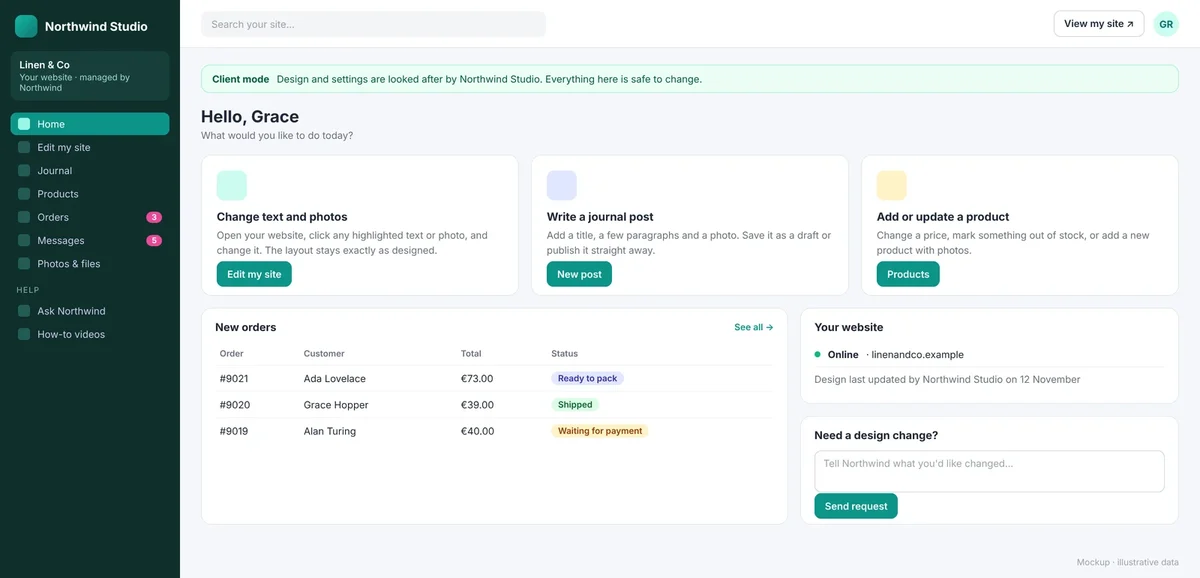
Client Mode is a WordPress plugin, used by the client after launch.
- A Client role that can edit content, products and orders, but not themes, plugins, settings or users.
- A short, branded admin: Home, Edit my site, Journal, Products, Orders, Messages, Help, with your agency's name, logo and colours.
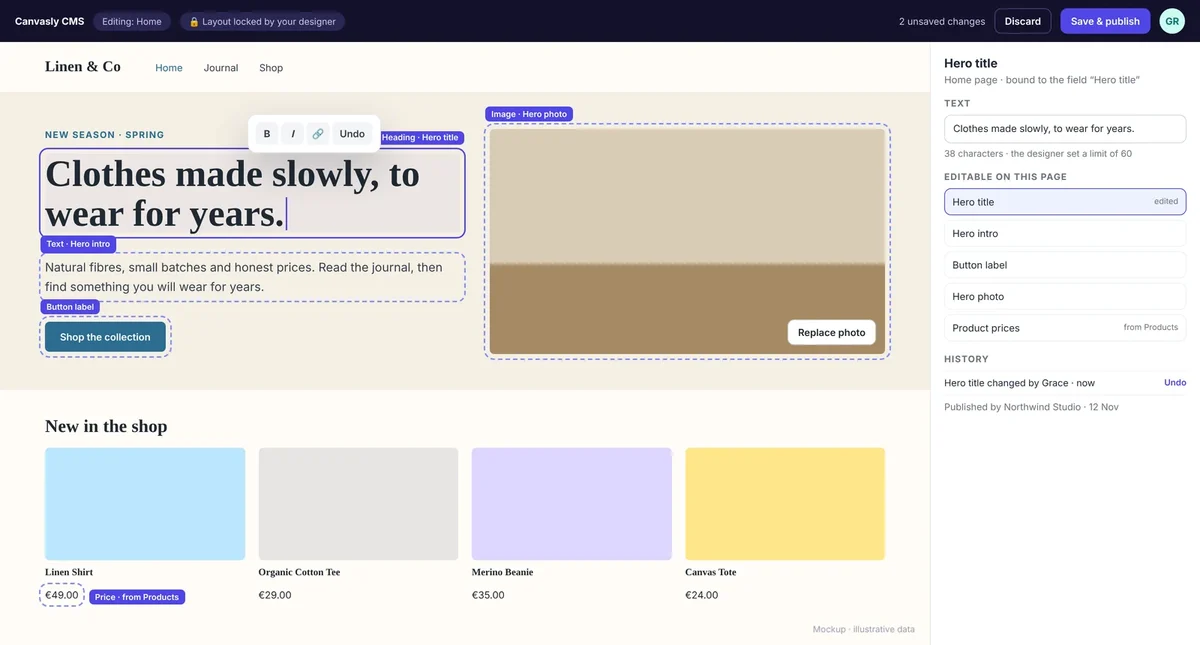
- Edit on the page: the client clicks a highlighted heading, photo or price on the live site, changes it and presses Save & publish.
- A design lock: Canvasly pages can't be opened in the block editor or switched to another template.
- History and undo: "Changed by Grace · Undo" for every on-page edit.
- "Need a design change?": a request box that emails you, instead of the client trying it themselves.
Client Mode answers a different question: "Who may change this, and how much?"
Side by side
| Bind to WordPress (available now) | Client Mode (coming soon) | |
|---|---|---|
| What it is | A feature in Canvasly Web Studio | A WordPress plugin |
| Main job | Connects units to WordPress content | Gives clients a safe, simple way to change content |
| Used by | The designer, while building | The client, after launch |
| Works with | Headless sites (Next.js, Astro) | WordPress-export sites and headless sites |
| Where clients edit | The full WordPress admin | On the page, or in a short branded admin |
| What clients see | Everything in WordPress | Only what you allow |
| Design protection | Content and layout are separate | Design locked; only marked fields, with limits |
| Undo | WordPress revisions | Revisions plus a per-field history with one-click undo |
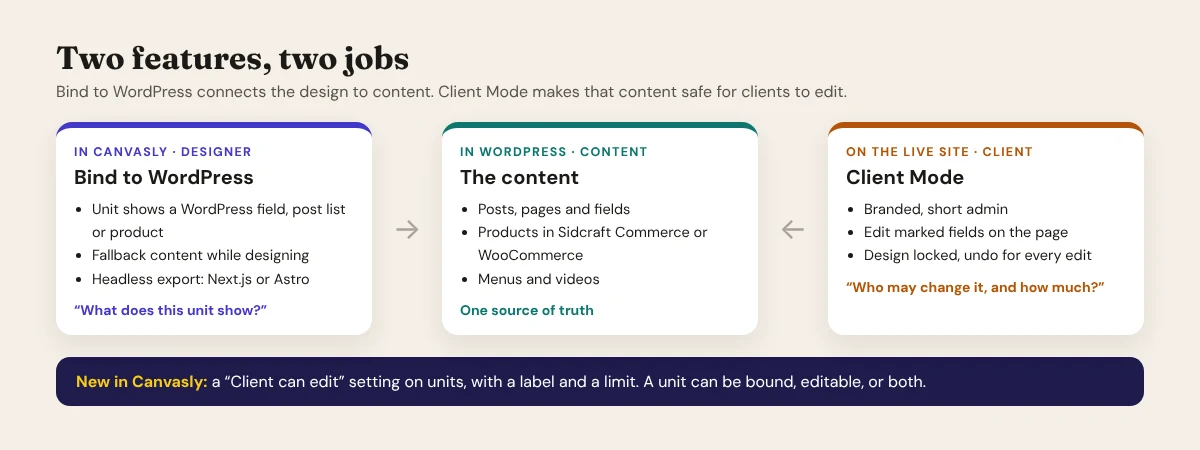
Bind to WordPress decides what a unit shows. Client Mode decides who may change it, where, and how much.
- Bind: the designer, in Canvasly.
- Client Mode: the client, on the live site.
The difference in one line
Edit on the page, safely
You decide in Canvasly what a client may change. A new "Client can edit" setting on units lets you switch editing on, give the field a friendly label ("Hero title", "Opening hours"), and set a character limit. Images can require alt text. Everything else on the page stays locked.
Behind the scenes, every save is checked: permission, character limit, allowed HTML, and a version number, so two people editing at once get a warning instead of overwriting each other. Edits are stored separately from the page's code, so a client can never break the layout by accident.
Better together
The two features complement each other:
- On a headless site, Bind to WordPress already pulls content from WordPress. Client Mode gives the client a simple, branded admin for that content, and on-page editing through the preview follows in a later release.
- On a WordPress-export site, where each page is delivered as clean HTML with the "Canvasly full page" template, Bind to WordPress doesn't apply. Client Mode is what makes text, photos and prices editable there at all, without the client ever touching the page's code.
- A unit can be both. Bind a heading to a WordPress field and mark it "Client can edit": the client changes it on the page, and the edit saves back to the same field the binding reads.
A unit can be bound, editable, or both. The client edits it on the page; the change saves to the same WordPress field the binding reads.
- One source of truth for content.
- The layout is never part of the edit.
Better together
Shops, menus and videos too
Client Mode works with the plugins your clients already run, so they manage everything from the same simple admin:
- Sidcraft Commerce: edit prices and stock on the page, add products with photos, and see orders in plain words such as "Ready to pack". WooCommerce is supported too.
- Sidcraft Restaurant: change menu items, prices and dietary badges, and switch promotions on and off.
- VidCellar: upload videos and edit titles, captions and access.
- Sidcraft Cloud Media Offload: uploads go to the cloud exactly as you set it up; nothing new to learn.
The plugins' settings screens stay hidden from the Client role; you keep full access as Administrator.
What's planned
| Release | What it brings |
|---|---|
| v1.0 | Client role, branded admin, home screen, design lock, edit on the page for text, images and links, history and undo |
| v1.1 | Prices and stock on the page; Sidcraft Commerce, WooCommerce, Sidcraft Restaurant and VidCellar screens |
| v1.2 | Edit on the page for headless sites through the preview; "Ask the agency" with screenshots |
Client Mode is planned to be included with a Canvasly Web Studio licence for your licensed domains. If a licence lapses, the site keeps working and the design lock stays on. There's no release date yet; the screens shown here are early mockups and may change.
Clients should edit content without ever touching the design. That is the whole idea.
- Fewer support calls after launch.
- Happier clients, safer sites.
Coming soon
Be the first to try it
Client Mode is also the first step toward Canvasly CMS, a content-management system built for sites designed in Canvasly and running on ordinary shared hosting. The admin screens, roles and on-page editing you see here carry straight into it.
Join the Canvasly CMS waitlist to hear first about Client Mode early access, and tell us how many client sites you manage. We're also looking for a few agencies to test v1.0.
Not using Canvasly yet? Try Canvasly Web Studio free for 7 days, and read why we think page builders are being left behind.