
Yes: Claude Opus 5.5 can build the codebase for a complex eCommerce website. But it works as a high-level engineering partner, not as a "describe your shop and press Go" store generator. Used well, it can compress weeks of development into days. Used carelessly, it can produce a store that looks finished and fails the first time two customers buy the last item in stock at the same moment.
This article explains what Opus 5.5 handles well, where its real limits are, and a practical workflow for building a store with it safely, including where Canvasly Web Studio fits in.
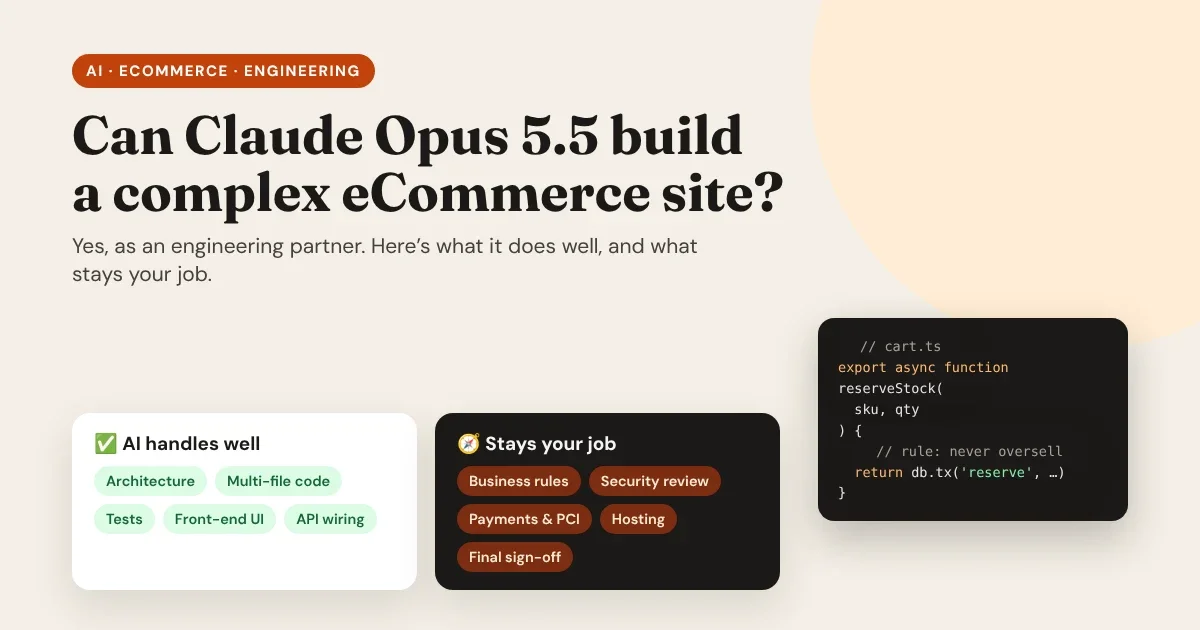
AI can write the store. It can’t own the store. That part is still yours.
- Opus 5.5: architecture, code, tests, integrations, debugging.
- You: business rules, security review, accounts, go-live.
The short answer
What is Claude Opus 5.5?
Claude Opus 5.5 is Anthropic's current Opus model, the line built for demanding reasoning and long-running agentic work. Two specifications matter most for building a large project:
- A 1 million token context window. It can hold a large part of a codebase, its documentation and a long working session in view at once.
- Up to 128,000 output tokens per response. It can write or rewrite many files in one go instead of in small fragments.
In tools like Claude Code, it doesn't just write code into a chat window. It works as an agent: it reads your repository, runs terminal commands and tests, inspects the results, and fixes what fails, over long sessions.
What Opus 5.5 handles well
Full-stack architecture at codebase scale
A serious store is many systems at once: a product catalog, search, cart, checkout, accounts, orders, emails, an admin area and integrations. Opus 5.5 can work across all of them:
- Scaffold a custom storefront with Next.js, Astro or React, including product listings, filters, product pages and a cart.
- Design database schemas for products with variants, multi-vendor catalogs, orders, refunds and customer accounts.
- Write complex cart logic: discounts that stack (or don't), coupons, bundles, tiered pricing and shipping rules.
- Wire up APIs to a headless CMS, a payment provider, an ERP or an inventory system.
- Make coordinated multi-file changes, such as renaming a concept across the whole codebase or migrating to a new framework version, without losing track.
Agentic workflows and MCP
Opus 5.5 is built for long, autonomous coding sessions. Inside an agentic tool, it can run commands, read database query plans, write end-to-end tests, reproduce a bug, fix it and run the test suite again, repeating until the tests pass.
The Model Context Protocol (MCP) extends this to other tools. Through MCP servers, an AI assistant can work with your design tool, your database, your issue tracker or your CMS, with the access you choose to give it.
Precise UI work from designs and screenshots
Opus 5.5 can read screenshots and design mock-ups in detail, which makes it effective at turning a design into clean front-end components, and at spotting the difference between "what we designed" and "what the browser shows" when debugging layouts.
The bigger the context an AI can hold, the more your instructions matter, because it will follow them across the whole codebase.
- Write the architecture down.
- Write the business rules down.
- Then let the agent build.
Context is leverage
Where it hits real-world limits
It writes code; it isn't your infrastructure
Opus 5.5 doesn't host your database, run your servers, or process credit cards. A real store still needs:
- Hosting for the website, the API and the database.
- A payment processor such as Stripe, PayPal or Square, configured with your account, API keys and webhooks.
- Integrations with real services, each needing credentials, configuration and testing.
The AI can write the integration code and explain every setting. You still create the accounts, keep the keys secret and decide what goes live.
Business rules it shouldn't guess
Complex eCommerce depends on deterministic rules that are specific to your business and often to your country. If you don't specify them, any developer, human or AI, has to assume, and assumptions in checkout code cost money.
| Area | What can go wrong | What to specify up front |
|---|---|---|
| Sales tax / VAT | Wrong rates by region; tax on shipping handled inconsistently | Where you sell, your tax registrations, whether prices include tax, and who calculates it (ideally your tax service or store engine) |
| Inventory | Overselling when two shoppers buy the last item at once, especially during flash sales | When stock is reserved (in cart or at payment), for how long, and what happens when a payment fails |
| Pricing & discounts | Coupons that stack unintentionally; rounding errors | Which discounts combine, in what order they apply, and how totals are rounded |
| Fulfillment | Orders routed to the wrong warehouse or carrier | Shipping zones, carriers, split shipments, and cut-off times |
| Refunds & returns | Partial refunds that leave orders in an impossible state | Every order state, the allowed transitions, and who can trigger each one |
Opus 5.5 implements rules like these cleanly when you write them down. Leave them vague and it will pick reasonable-sounding defaults, which may not be yours.
Security and production hardening need human review
AI-generated code can be excellent and still contain mistakes, and in a store, mistakes in a few areas are costly. Before handling real customers' money, review these with particular care, and consider a professional penetration test:
- Authentication and sessions: password storage, password reset, session expiry, admin access.
- Payment webhooks: verify every webhook signature, and make handlers idempotent so a repeated event can't fulfil an order twice.
- Prices and totals: always calculate them on the server; never trust a price or total sent from the browser.
- Card data: use your payment provider's hosted checkout or hosted card fields, so card numbers never touch your servers. This also keeps your PCI DSS scope as small as possible.
- Secrets: API keys in environment variables or a secrets manager, never in the code or the repository.
- Permissions: every API endpoint checks who's calling and what they're allowed to see.
Never let your store’s checkout be the first place a guess meets real money.
- Server-side totals.
- Verified, idempotent webhooks.
- Card data only with the payment provider.
Production rule
A practical workflow for building a store with Opus 5.5
- Write the spec before the code. Products, variants, the customer journey, and every business rule from the table above. A two-page document saves days of rework.
- Decide the architecture yourself. Choose your store engine, payment provider, hosting and front-end framework, and write the decisions into a project instructions file (for example
CLAUDE.md) so every session follows them. - Prefer proven platforms for the hard parts. Let a mature store engine handle orders, taxes and stock, and a payment provider handle cards. Have the AI build the custom parts around them.
- Work in small, reviewable steps. One feature per branch, with tests. Read every change before merging it, especially in checkout, payments and accounts.
- Test the nasty cases on purpose. Two shoppers and one item in stock. A payment that fails after the stock is reserved. A webhook that arrives twice. A coupon applied to a sale item.
- Use a staging environment with test payment keys, and run a full purchase, refund and cancellation before launch.
- Get a security review before you take real money, and keep reviewing after launch.
Where Canvasly Web Studio fits in
Canvasly Web Studio isn't an AI model. It's a visual website builder for Windows that works alongside AI, and it covers the part of a store where custom code is easiest to get wrong and slowest to change: the design and the shopping front end.
- Headless Sidcraft Commerce and WooCommerce. Connect a WordPress store running Sidcraft Commerce or WooCommerce and Canvasly adds a Shop page and a Product template. Bind your design to price, sale badge, stock, SKU, gallery and the add-to-cart button, then export a Next.js or Astro storefront. Read the full guide: How to Set Up Headless WordPress.
- Cart and checkout on your own site. Shoppers add to cart, choose sizes and options, apply coupons, choose shipping and place the order on your website. Taxes, shipping zones and stock are still worked out by the store engine, using its own rules, which is exactly the kind of deterministic logic you don't want to reinvent.
- Card details stay with the payment provider. Card payments continue on the store's secure checkout with the same cart, so card details never pass through your site.
- A safer connection to the store. In a Next.js export, the website talks to the store through its own address: the shopper's browser never calls WordPress directly, and the cart's key is kept in a cookie scripts can't read.
- An MCP server for AI assistants. Turn it on in Settings → MCP server and AI apps such as Claude Code, Claude Desktop and Cursor can build in Canvasly through the Model Context Protocol: pages, layouts, menus, components, images and checkout setup. It runs locally on your computer and needs a token.
- Your choice of AI provider inside the app. Use Anthropic Claude, OpenAI, Google Gemini or Azure OpenAI with your own key, for the AI Site Planner and other AI features.
- Lean code you own. Exports are standard, minified code with only the features your pages use, so the front end stays fast. See Website Speed as a Conversion Driver.
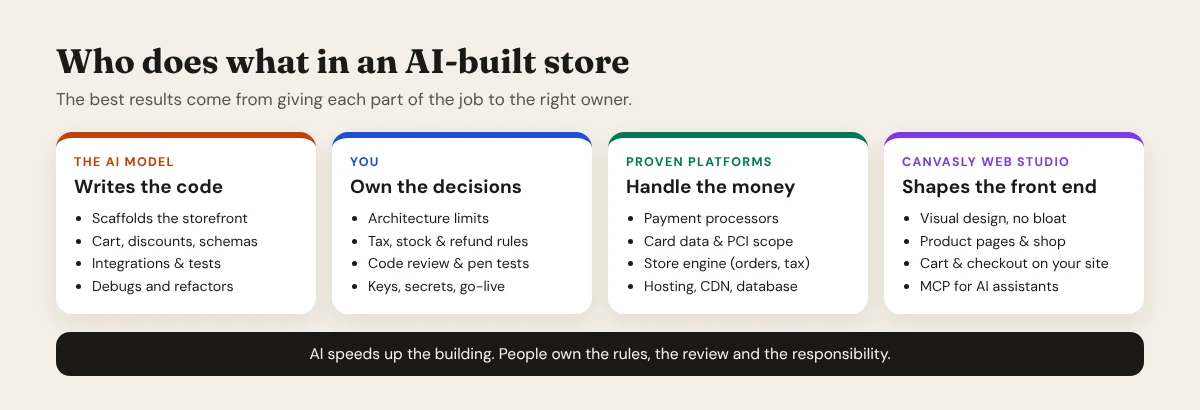
A sensible split for many shops: Sidcraft Commerce (or WooCommerce) for products, orders, taxes and stock; a payment provider for cards; Canvasly for the design and the storefront; and Opus 5.5 in Claude Code for the custom features, integrations and tests around them, with you reviewing every change.
So, can Opus 5.5 build a complex eCommerce website?
Yes, with the right setup. Inside an agentic coding tool or an MCP-connected environment, with a clear spec and firm architectural decisions, Claude Opus 5.5 can build a production-grade custom store in a fraction of the traditional development time.
What it can't do is take responsibility. You own the architecture, the business rules, the security review, the third-party accounts and the decision to go live. Get that division right, and AI becomes the fastest engineering partner a small team has ever had.
Want a fast, professional storefront without writing it all by hand? Download Canvasly Web Studio and try it free for 7 days: connect your Sidcraft Commerce store, design your shop visually, and let your AI assistant help through MCP.